Email marketing can never fade away from the eCommerce world. An optimized email campaign carries the incredible potential of conversion rate, and of course, ROI. Time is the only price associated with email marketing, and if you are ready to commit yourself to the best email practices and upcoming trends, you’ll see significant results gradually.
Email Marketing Trends to Follow in 2020: Some of these trends are the best practices that you must follow.
Segmentation and Humanization
These are the two most essential ideas for email marketing. People are growing more sensitive towards content that is not tailored specifically for them but is still being showed up in their inbox. Nobody wants to feel that they are getting an email that was sent out to several hundreds of thousands of people or receiving a “spammy” email from an address like [email protected].
To take advantage of highly segmented email lists, you need to ensure your database is clean and sound. Smart lists are the best way to achieve this. A smart list applies specific criteria that you select, automatically populating contacts from your database that resembles it.
Creating smart lists of unsubscribed contacts, ineligible contacts, or people who haven’t opened an email from the last nine months, all are a great place to start. Then, you can add these lists to a master suppression list.
Then, you can generate numerous smart lists with the criteria matching the kind of emails you are going to send. For instance, if you sell a commodity that has many versions, such as a complete, upgrade, etc., you need to create lists tailored to those versions.
How to Execute It
Begin with excluding people who have already purchased your product. From there, you will need to recognize all the interested people who would buy each version of your product. Also, ensure that all the links in your email send the recipients to the right place on your website.
After cleaning your database and creating multiple smart lists, you require to humanize your emails. Then, use the segmented lists to send emails automatically, making your messages more personal being received to the relevant people.
Moreover, utilizing personalization marks in your preview text, subject lines, and body part, can provide a personal feel to your emails, making your recipients acknowledge what you intend to say more clearly. Finally, assure the email address you are going to send emails from, sounds more personal, as it’s always a good idea to forward emails from an address with a name attached to it.
Automation
Automation is a splendid device that makes your life as an email marketer a whole lot easier. You can establish workflows for absolutely any kind of eCommerce email marketing. You can create an automated workflow for a series of sales emails or a specific promotion that you are running for Black Friday. We recommend using HubSpot to build automated workflow functionality.
A couple of our favorite ways to practice workflows are for form submissions and abandoned carts. When you configure a workflow, you have to establish subscription criteria to ensure the contacts you are adding are very explicit and related to the emails within that workflow.
For instance, you can set a workflow for those who have filled the “Contact Us” form on your website and send the follow-up emails to the people who have approached you.
If you are in a lead generation business, you can formulate workflows for specific kinds of leads at different phases of the shopper’s journey. A workflow can send specific emails to your leads, making the organization of your contacts more convenient and get various messages across.
Integrate Email Marketing with Social Media
Social media works for users who seek out information, whereas emails are sent directly to the user. By integrating both, you can capitalize on their strengths and build your audience.
So how can email and social media work collectively to increase your business?
One way is to have an email/newsletter tab on the Facebook Page of your company. It’s the best way to make your email list utilizing social media.
Also, it allows you to build your social media presence through email by simply adding social media icons in the email. Users can ‘Like’ a promotion, tweet about the offer, share it with their friends, and much more. You can also promote your FB, Twitter, or other social platforms in your email to strengthen your online presence. You can even offer special discounts for joining your social campaign. It’s an easy and inexpensive way to build your customer base.
While businesses proceed to walk toward social media, remember that email marketing remains to be a powerful marketing tool and can operate with social media to help cultivate your client base.
Formulate an Interactive and Mobile-Friendly Email Experience
As the technological world grows more interactive, so should your emails. People answer particularly well to the interactive emails in the eCommerce world. GIFs perform great in an email if you want to put one particular product on display.
Also, you cannot forget the importance of a CTA. Each email should have at least one CTA, taking your recipients where you want them to. Do not conceal your CTA to make a place for animation advancements.
Due to the rising prominence of mobile devices, the number of people going through their mobile inboxes is also increasing gradually. Make sure that the email you send renders well not only on a desktop but also on a mobile device. It will ensure a positive experience to the recipient regardless of which device they are using to view their inbox.
A/B Testing
Testing is much more than just a trend. It is a technique that you should use in all facets of your marketing strategy, but let’s focus on how you can utilize it for emails.
There are four main aspects of each email- preview text, subject line, design, and CTA. You can apply A/B tests to discover what serves best for you but, make sure to modify one variable for each test. It’s like a scientific experiment: one control and one variable changes.
By running A/B tests, you can assure every email that you send out is optimized to be what serves the best with your recipients.
Closing Thoughts
The above-stated email marketing trends will help you optimize and make the most of every email that you send. If you are seeking an expert to help you out with your email marketing campaigns, then don’t hesitate to contact us below and learn more about email marketing.
What is Headless eCommerce?
Headless commerce caters to a content-first approach for the design and development of the website. Headless eCommerce occurs when you disconnect a website’s front end CMS (the “head”) of a website, from the eCommerce backend. In a headless world, your backend works entirely detached from your front end, and the two are tied together using APIs.
In eCommerce, headless commerce allows marketers to modify the content of a page without conventional constraints of eCommerce CMS. Consequently, marketers can instantly update website copy and layout to focus on their primary requirement – Marketing!
Let’s Understand How Headless eCommerce Works
SaaS platforms such as Google Apps, BigCommerce, Salesforce, MailChimp, Dropbox, ZenDesk, Slack, DocuSign, make headless eCommerce quite easy and seamless. You will have to begin with selecting a content CMS to manage the front end of your website (like HubSpot CMS or WordPress).
Once they are connected, you’ll need to decide what content breathes in your eCommerce platform, contrary to your front-end CMS. Generally, we suggest keeping all product data within the eCommerce platform and adding it to the front end on-demand only. As that’s how we can have one primary database of all core product information for intents, including product feeds, data continuity, and centralized inventory.
Perks of Headless Commerce
Headless eCommerce enables marketers to have added content without having to deal with the technology side of things. Think about how convenient and effortless a WYSIWYG website editor is – that’s basically how simple a headless eCommerce product page could be! Several platforms have their unique quirks of adding more content than the regular information box.
For example, with Magento, a developer needs to code a CMS box into a template, according to their requirements. Then, they’ll require to shift to staging, undergo the process of approvals, push through testing – all which could take days or even weeks. In a headless implementation, you don’t have to wait and make modifications in real-time.
For category and sub-category pages, headless eCommerce enables you to take charge of your content and appearance. As you are well aware, some categories deserve a landing page above a basic template of the eCommerce category, and some sections require extra content to get the point of need getting fulfilled. In headless commerce, you can upgrade category and sub-category pages directly without bothering about development designing the unique landing page for all categories.
With eCommerce websites, you need to make sure that all data areas of your website are safe and secure within the headless environment, for the pages like the account pages, cart, checkout, and login pages. You can obtain this by using APIs of your CMS platform and your eCommerce platform.
Questions to Ask
After making all your considerations for each page, sketch it out and decide how you want every single detail to work. Here are some questions to inquire yourself:
- How should I join the two systems?
- By what means should I manage inventory displaying on the product detail page as in-stock, out of stock, pre-order, and waitlist?
- How do I handle edits to costing?
- Do these divisions update automatically, when I make them in a platform such as BigCommerce?
- How to manage extra content that doesn’t fit within the product description?
Answering these questions upfront will reduce the development time of your company and create a stronger product.
Wrap-Up
Headless eCommerce helps companies disconnect their marketing efforts from website development and allows them to update marketing info in real-time. Rather than waiting for development to refurbish the website, marketers have the tools that are readily available to get their jobs done.
Inquisitive to know how headless eCommerce could help you with your business? Feel free to drop us your suggestions or queries in the comment section below.
Targeting through Facebook eCommerce Ad has made significant progress since its infancy in 2007. In case you’re trying to reach your current customers or track users after they have left your site, Facebook has built the technology to make it possible. If you’re not clear where to start from while targeting or are searching for a few pointers, we’ve drafted Facebook’s leading ad targeting options that you can try in 2020.
1. Facebook Retargeting
If you’ve ever checked a pair of shoes and they appear to chase you around the internet, then you’ve encountered retargeting. Even though this technique began in display advertising, Facebook has instantly grown to be one of the dominant performers in the retargeting space.
To configure a campaign, you’ll need to install the Facebook pixel on your web properties and start “cookie-ing” your visitors and consumers. From that point, you can identify who you want to retarget based upon specific parameters comprising website behavior and page views. For example, you can target customers who have added goods to their cart but haven’t bought yet.
2. Custom Audiences & Identical Campaigns
With Custom Audiences of Facebook, you can effortlessly upload email addresses of your current shoppers, leads, and contacts that you want to target. From there onwards, Facebook will compare your data with its to locate your customers on Facebook. You can then select to target your Facebook ads to the directory you uploaded, or build a lookalike audience of Facebook users with the same interests.
3. Specific Demographics and Locations
These are some of the sincerest and most direct forms of targeting that are essential components for successful campaigns. For instance, you can use these various parameters to target particular locations and demographics based on age, sex, languages, demographics, geographic locations, and interests. You can further experiment with many combinations to concentrate on your specific target audience.
4. Targeting Life Event
With options like “away from family,” “recently moved,” and “new job,” Facebook enables advertisers to become hyper-connected to what is taking place in the lives of their audiences. The benefit of targeting users during their specific life events can help you connect with your audience on an emotional level. Once you are in tune with your audience, they will feel in tune with you too!
5. Integrations with 3rd Parties
As much as we enjoy uploading CSV files for custom audiences, many third-party integrations allow you to automatically sync your smart lists to custom audiences on FB like HubSpot’s new Ads Add-On. Also, the feature helps to create lookalike audiences based on smart lists. There are many tools available in the market to choose from, so pick precisely.
6. Platform Targeting
As Facebook proceeds to expand its technological imprints, advertisers have various platforms to choose from for their benefit. These options currently include Facebook, Messenger App, Instagram, and the Advertiser Network. Each platform has unique merits and demerits, so we recommend you to take the time to evaluate your audience and learn where they are ready to spend their time. Also, remember that pictures and ad copy should be such to work for the platforms you target.
7. Negative Audiences
Try incorporating negative audiences if your campaign is casting widely on the net. The feature helps you exclude less-qualified audiences without narrowing down the things. If you manage an eCommerce business, combining a negative audience for recent customers can be a great start. This approach is pocket-friendly and also raises the possibility of reaching interested buyers, adding to your existing customers.
Final Thoughts
Regardless of which Facebook targeting options you pick, it’s essential to examine and analyze the data. Digital advertising entails experimentation, so keep trying, even if you fail to strike success in the first attempt. Know your targeting options and seek a different combo to view what works the best for the personas of your brand.
Addressing the common questions of your customers is just a part of your FAQ page, not the whole purpose of it.
An FAQ section when made right can be a powerful addition to your website that serves various functions, such as:
- Reducing some of the duties from customer support by openly answering general questions.
- Enhancing SEO and site navigation.
- Gaining trust by displaying product expertise and defining your business model.
- Preventing customer complaints and negative reviews.
Let’s discuss the FAQ page in detail.
What is a FAQ page?
The Frequently Asked Questions is a section of the website where you address some common concerns, queries, and complaints of your customers.
It’s not the same as your About Us page telling the broader story behind your brand. The FAQ section deals with the details. It’s the go-to stop to obtaining answers to specific issues regarding your product or business operation. It also acts as the first point of contact for customers searching for solutions before directly reaching out to you.
The FAQ page can serve customers at distinctive parts of the purchasing journey when used right—whether they’re in the stage of consideration looking to learn about your product or an existing consumer troubleshooting a problem.
In general, an FAQ page lessens the overall stress of buying online—and that goes a long way in getting fickle customers to purchase from you.
When is an FAQ page relevant?
A Frequently Asked Questions page can be an asset or a distraction, based upon how you use it.
So, here are some signs that it’s about time to include a FAQ page on your website:
You may get emails from customers asking the same questions on an ongoing base, so it’s better to address them publicly and prominently to keep the mails from coming.
You may have or intend to design landing/content pages that you can link with and resume the journey from question to conversion.
Your service/product/business put forward the questions and concerns are managed best in a straight forward manner.
Lastly, the FAQ page offers a unique chance to directly address issues and remove obstacles on the track to purchase.
Where to scout for “Frequently Asked” Questions?
Your inbox and support service tickets are the most likely places to look for FAQs. Also, expect to receive some objections that you can transform into questions, especially if the answer will put the mind of your customers at ease.
Consider how to put the right questions strategically to aware the customers about your products and to generate demand.
While selecting the questions for your FAQ section, keep your focus on utility, relevancy, and opportunities to convert that question into a route to promote engagement or conversion.
If you finish up with an exhaustive list of questions, then arrange your questions under the segments like “About the Product” or “Shipping” to fast-track your visitors to navigate. You can refer to Pepper, for instance, has categorized its FAQ in lists precisely so that users can find the answers they need.
In case you don’t have any customer support tickets or emails for reference, explore the FAQs of your competitors. Check out the product reviews for the items in your niche. Also, examine forums like Quora or Reddit to comprehend what sorts of questions people are.
How to answer your FAQs?
Positioning your answers is key, even if the query is about a potential lapse in your product or business. Wear your PR hat and give a silver lining to your answer.
Make sure you’re not dropping your audience by providing your audience more than what they need while showing authority through the gravity of your answers.
Draft your questions from the perspective of your customer and answer from the perspective of your business, such as, “You should…” or “We provide…”. Tattly does a fabulous job by using its customer’s voice to phrase the questions while maintaining transparency.
Keep your focus on clear communication, following the goal you want to achieve with every question of your FAQ.
Focus on addressing a concern about purchasing, educating your customers about your business model, troubleshooting a common issue with your product while drafting your answers.
Make use of videos or images to supplement your answer. If it serves in establishing your brand, you can even think of sprinkling in a little personality to please your customers with a handful of “fun” questions and answers.
An often-overlooked opportunity with several FAQ pages is closing your answer with a call to action linking to other pages that push the visitors back into your funnel.
Consider what the subsequent move would be for anyone interested in a particular question and try to fuse a link of the relevant page or section of content that leads them ahead on their journey as a customer.
Can a FAQ segment help with SEO?
Numerous sites address a FAQ section as an independent page that uses a question and answer format to impart information. While this serves the most fundamental role of an FAQ page, to lessen the friction on the route to purchase, you can also make an FAQ section with pages dedicated for each answer to design a more search-friendly segment of your website.
By hyperlinking inquiries to a separate page, you can help your questions surface each answer in search through your site or Google. Even if your audience is not searching for any topic associated with your brand, they might find your content or landing pages, which you have optimized for specific search queries while looking for answers via Google.
For instance, the FAQ page of MVMT Watches that leads to a separate landing page for more substantial answers to questions related to the location of their store and full return policy. They have tabbed the separate sections dedicated to shipping, return policy, and how to reach the brand. FAQ pages structured like this can be found through Google when prospective customers search for this information.
Where should I put my FAQ section?
Well, it entirely depends upon the purpose of your business. If customer service is the heart of your business, you might require to create a perfectly concretized support center or “help desk” employing Zendesk or HelpDesk, with an FAQ incorporated as a section of your customer support flux.
But if you’re trading goods or services that might generate a lot of questions, it might be enough to notably display a link to a FAQ page in the navigation of your website to focus on diminishing purchasing concerns for visitors. Like, WaterAid links their website to the FAQ page from the main menu present in their About section.
You can also blend a FAQ page directly into your product pages. Or you can make it a part of your product descriptions or place it towards the foot of the page like Speak Skincare has highlighted their FAQ page in their footer. Santa Cruz Bicycles has done this with their products, utilizing FAQs that are explicit to the featured product.
FAQ page template
Just like the template of an about us page, there is no comprehensive template for the FAQ to adopt. But there are some basic questions for every industry. Given below are some of the important ones for eCommerce:
What is the return policy?
How do I make modifications to an order I’ve already placed?
What are the foreign/international taxes, duties, etc. that I have to pay?
When will I get my order?
How is the product manufactured?
What should I do if I never got my order?
What are the shipping choices?
How do I reach your company if my inquiry isn’t answered here?
Where do the materials for manufacturing come from?
What should I do if I received a faulty/defective order?
After having the basics, delve deeper into your business explicitly. It is where the insights from customer support tickets and email come into action.
Safety and security
Make sure the information saved by your customers is safe and secure. It’s also necessary to address many common issues or questions about the safety of the product itself. Bootea, for instance, addresses the concern with the detox products when it comes to pregnancy.
Account management
Offer support for new and existing consumers equally. Help them learn how to create an account and access it anytime later. Also, focus on basic account management tasks, like resetting the password and updating payment details.
Product features and brand promises
Recognize the differentiator of your brand or product, and the queries all the customers have regarding that and use the FAQ’s to reiterate your message. Many cosmetics names, use their FAQ pages to reveal about cruelty-free products and the inquiries customer have about that.
Using the product
Take advantage of your FAQs to not only convince prospective customers but also to support customers who’ve made a purchase. Answer queries meant to get started with the product, focusing on issues that customers might have while using it for the first time. Check out Aframark in case you are looking for some real syndicating Q&A solution for your eCommerce business.
Answer questions to decrease customer frustration
If you crave to get the most out of your FAQ page, you require to discover where it weighs most in the customer journey: when potential customers are considering making a purchase and when existing consumers are going to reach you.
You might observe most FAQ pages buried at the base of a website’s footer, but it is better to incorporate it into your site as a section of your Contact Us or Support page to assure it gets discovered easily. It’s also necessary to keep updating your FAQ page eventually with time as new customer concerns keep coming up or as new possibilities emerge to link to other pages in your inquiries and continue the customer journey.
The FAQ page is usually a second thought for many websites. But, when used strategically, it can add plenty of value in various ways, from lessening the load on customer support to mitigating purchasing concerns. So, are you taking advantage of yours?
Digital eCommerce advertising gives a significant opportunity for brands to reach their consumers, and all the credit for transforming this approach into a proven part of the eCommerce inbound marketing playbook goes to platforms like Google Ads, Facebook, and Snapchat.
Based on the study conducted by the Pew Research Center, 69% of Americans are using Facebook, out of which, 74% log-in several times a day, catching sight of more than just posts from friends and family.
A recent survey stated that 78% of American consumers discovered products on Facebook. It’s an undeniable fact that Facebook users have an enormous impact on the profitability of eCommerce.
Why Facebook eCommerce Ads is a Must for You?
Meg Whitman, the President and the CEO of Hewlett-Packard, says that “Communication is at the heart of eCommerce and community.” Likewise, communication is at the heart of Facebook. Facebook’s empire is formulated on building personalized user experiences that improve communication, along with letting the users browse, discover, and be inspired.
Facebook also facilitates businesses of any size to tap into these practices. The intuitive platform streamlines to create ads that reach users at any time in their buying journeys. Various formats of ad help distribute distinct types of content, targeting options ensuring that you are reaching exactly anybody, anywhere at any time you want.
Facebook achieves this by breaking out the journey of a buyer into three stages/objectives:
- Awareness
- Acquisition
- Sale/conversion
Even though there is no hard-and-fast rule stating that you are allowed to use specific ad formats only for various eCommerce goals, some ad layouts do accommodate themselves to some phases in the journey of the buyer. So, here are some of our most preferred ad formats for eCommerce marketing and the steps in which they are most suitable to use.
- Carousel Ads
- Lead Generation Ads
- Dynamic Product Ads,
Awareness
In the initial phase of a customer’s journey, they identify a query or desire they have and begin to think of various solutions. So, your brand must create a top-of-mind experience for your products, services, and solutions.
The level of awareness establishes the ranking of a brand in the minds of customers and also determines how much consideration they will provide in other phases of the journey. Reach and exposure, are the two main benchmarks for this phase, and carousel ads are the best way of achieving this goal.
Carousel Ads
Carousel Facebook advertisements are an interactive format that exhibits up to 10 photographs or videos within a single ad, including descriptive headlines, customizable links, and CTAs. It is a user-friendly format that enables the customers to effortlessly browse and explore the various products, services, and solutions a brand renders.
By doing all this, you ensure better awareness for your customers about your products and attract them down the purchasing funnel quicker than an average web user.
You can increase awareness with this format by:
- Highlighting multiple products that link to distinct landing pages
- Featuring different specialties or uses of a single product
- Demonstrating how a process works in a step-by-step manner
- Telling a story with gripping pictures and/or video
- Creating larger ads that build an immersive ad experience
Messenger Ads
Facebook Messenger Ads serve businesses by sending highly targeted promotions straight to the inbox of a customer. Just like other formats of Facebook Ad, Messenger Ads are compatible with retargeting, enabling brands to target users who engaged with them previously. As messaging apps are gaining steam continuously, this ad format has become very relevant.
Case Study
Lands End employed carousel ads to draw the attention of the shoppers to the summer campaign and observed a 31% rise in website visits. To the amazement of Giovanna Dimperios, the Social Media/Digital Marketing Manager, the carousel ads also provided Lands Ends to recognize which photographs people were most interested in. They witnessed a lift in their ads even from people who hadn’t shopped at Lands End before.
Best Practices
Take advantage of all the available components to create your carousel ad. Videos and images are great but, make sure to keep the descriptions informing customers, headlines that catch attention, and the call-to-action that lets shoppers know exactly what you want them to do.
Ensure the text in your pictures satisfies the guidelines of Facebook. As it is very particular about the amount of text that can be put in an image ad because the excessive text in an image reduces ad engagement. Use the Image Text Check tool of Facebook to find out whether the text in your ad image is adequate or not.
Begin with displaying your best-performing videos or images first. You can test many pieces of creativity at once with the carousel format. After examining, you can fix them based on performance.
Acquisition
Following building awareness, it’s time to get extra-new customers. There is a direct relationship between customer acquisition and sales, which makes it an essential part of the buyer’s journey, just like the others.
At this phase, possible customers are researching and considering putting up inquiries and learning what solutions serve them the best. It’s critical that your brand sparks their interest and also has the necessary content to be viewed as a thought leader in their field of interest.
Lead Generation (Lead Gen) Ads:
Facebook’s lead gen ads streamlined the lead generation process enabling users to fill out and submit applications without having to abandon the page or leave the platform. Brands can utilize lead gen ads to pick up names, locations, and email addresses.
Questions can be customized to crack customer motivations, preferences, pain points, and other various things to help qualify leads. Integrating FB’s lead gen ads with your CRM provides leads to respond quickly. Drive your aspirations from the head of the funnel-like brand awareness and reach-for customer acquisition by boosting your lead gen ads for customers.
Case Study
In 2019, a client of real-estate created online leads to forward to their real estate agents. They started using Facebook lead gen ads, to collect names, emails, and phone digits of interested prospects in the local area.
They generated 370 local leads at an average expense of $6.77, over the following 3 months. In addition to contact information, they also gathered moving dates and other relevant information that enabled the real estate agents to make calls to the individual prospect.
Best Practices
You can combine Lead gen forms with other ad formats if the objective of the ad is set to generate lead. Most beneficial practices for those ad formats will stay the same, but there are some best practices you should consider while creating your form.
- Employ compelling content for headings and descriptions
- Give an incentive
- Be open and transparent about your offer
- Keep the form simple and basic with 3 to 4 fields
- Use the ‘Thank You’ page
Sale/Conversion
By this point, consumers are done with their research, have explored all solutions, asked queries, and are ready to reach a decision. Now it’s the point to convert that purchase plan into action. Keeping it simple and to the point is the best approach to follow in this phase. You can also employ dynamic product ads, to make it easy for consumers to carry out a trade with you.
Dynamic Product Ads
The dynamic product ads of Facebook is similar to its other ads. However, rather than creating an ad individually for each of your goods or products, you can design an ad template that automatically utilizes your data feed to display ads to people who have previously shown interest in your website.
Facebook uses data from your website, fuses it with the catalog of your products, and creates exclusive-single or multi-product ads formed on the products that people viewed on your site and added to their shopping cart or purchased.
Case Study
Target utilized dynamic ads for its large product catalog. They engaged the consumers with highly relevant creative Target campaigns, recording a 20% rise in conversion as compared to other Facebook ads.
Senior Vice-President of Target, Kristi Argyialn, also observed that the performance has been remarkably stable with people buying on their mobile devices showing two times the conversion rate.
You can customize your ad by:
- Applying text overlays
- Customizing frames
- Cross-selling goods to the individuals who viewed products from your product collection
Wrap-up
Facebook has established itself up to be a star in the eCommerce space and will resume providing opportunities to businesses of all shape and size to compete with global brands through achievable and affordable solutions. We believe you will make use of these tips for Facebook eCommerce ads to catapult revenue.
Continue testing these ads to discover what serves the best for your brand, and take benefit of the various customization and personalization tools accessible for each ad format to develop more robust relationships with your customers.
The holiday season brings along some of the most significant days of the year for your business like Black Friday and Cyber Week. That’s right, it’s that time of the year when you need to kick into gear and start preparing for the biggest sale of the year!
Black Friday marketing is all about planning properly, having persistence, and showing off your creativity. And that’s what you need to do to make your company stand out of the race.
What can you do to pull consumers to your site, this shopping holiday season?
Given below are some useful Black Friday ideas for your eCommerce store.
Black Friday Ideas for 2019
Promotional Banners
Use a promotional banner as a reminder to your current and potential consumers, telling them about the forthcoming holiday sales. Every time customers see the banner while browsing your site, your products will get pushed, and your promotions will flash right into their minds. The promotional banner can incorporate a countdown, artistic imagery, or just a simple text to remind them of the exclusive deals you’re offering.
Flash Sale
Keep a flash sale before the spring of Black Friday to broaden the effect of the advertisement. The sale can start at any time, from a few days to hours ahead of Black Friday. This trailer of promotion can excite customers to watch the whole movie of the deals your company offering them. Don’t forget to set strict conditions and provisions to keep control over the rapid sale.
Evaluate Advertising Spend
Investing majorly in digital marketing as you near Black Friday can boost your company’s sales and exposure. We suggest starting advertisements a few days before Black Friday to double up pre-sale awareness. Ads must cover product images, exclusive deal promos, and date information to make your customers know the context and timeliness of your offers.
Add a Countdown Ticker on the Checkout Page
Having a countdown timer on the checkout page will provide an additional boost to your customers while deciding to buy your product. The addition of a countdown timer to the checkout page will build a sense of urgency, making your customers more inclined to make a purchase. As no one wants to feel the fear of missing out (aka F.O.M.O.), it’s beneficial to use this approach to your advantage and close the deal without any delay.
Sneak-a-Peek
During your countdown to the big day, try to give a sneak peek of some of the great deals that you will be offering to your customers. Consider employing digital advertisements, a pop-up on your landing page, and creative social posts. Applying these options will make your customers feel involved and build anticipation for sale.
Personalized Gift Guides
Build a few pages featuring gift guides based upon distinct personalities of the customers. If you are running a clothing business, you can offer a list of various clothes specially tailored for a traveler, a chic fashionista, or a minimalist. Creating these lists will make it more accessible for your customers to lessen the stress of gift shopping, presenting them with added options. This list will also stimulate them to check out more products on your site.
Use Social Media to Your Advantage
You can take leverage of the social platforms of your company to implement so many things. To begin with, you can post a countdown timer to Black Friday, planting the seed in the minds of your followers that your company is partaking in Black Friday. Besides linking the products directly to your site from the post or your platform’s bio, you can feature the sneak peek, which we mentioned previously. Hash-tagging your images with #BlackFriday or #BlackFriday2019 will fetch attention from even those people who aren’t following your company’s social.
Up-Sell and Cross-Sell
You can use up-sell and cross-sell tactics to stimulate your shoppers to purchase more and get more. In case they’re getting an older version of a phone, then including up-sell promo materials can encourage them to buy the latest and costlier version of the phone. You can achieve this by giving free shipping or a complimentary gift if they upgrade to the better product. Also, you can cross-sell your products by bundling them with complementary products, such as a phone with earphones, along with offering it for a reduced price.
Emails, Emails and Some More Emails
Email marketing is very crucial for promoting your Black Friday sales. You can begin by making a simple Black Friday announcement email fueling the interest of your customers. Keep sending more eye-catching emails with compelling pictures and messages to build excitement about the holiday as you approach the big day. Keep your shoppers on their toes by sending emails to encourage them to purchase the products before it’s gone. You can send the gift with purchase offers, giveaway emails, and many more!
Conclusion
Black Friday is the time for your company when you need to be creative with your marketing strategies. So break free of your hesitation of thinking out of the box and exploring innovative ways to advertise and engage more customers. As long as you have great marketing tactics and employ some of these ideas, your company could see an enormous online turnout on Black Friday.
Today’s blog is written in the light to discuss why your executive team should be considering the strategic role of PIM as a category helping in the overall expansion of your eCommerce business.
What is PIM?
Product Information Management (PIM) is a multi-channel tool that provides the support your company needs to develop your products cost-effectively, enter more markets, and take hold of new sales channels. It manages all the data, content, and other material required to promote and sell products.
As a gateway technology, PIM enhances the productivity of the marketer up to 50% expanding new markets through dynamic localization. It offers omnichannel retailing without compromising the competence of your staff. Along with that, it boosts sales conversion rates up to 4 times. Isn’t it great!
But that’s not all.
PIM integrates and blends all the technical and emotional information concerning the listings and catalogs of your products. It enhances the workflows and scalability, serving as the core of the product information for both brands and retailers.
Let’s not consume the space talking about why is it necessary for you to grow into new markets and sales channels and talk about the Scale Operations of PIM.
As we all know that global expansion is a complicated job, therefore scaling your operations globally past various channels increases the odds of complexities. Here is where PIM can come to your rescue by reducing the probability of making mistakes.
How can PIM help you?
PIM is an instant catalyst for boosting productivity, automation, creation of structured data, and streamlined workflows. In other words, PIM should be the root of your expansion strategy because:
- It takes omnichannel from being merely a jargon to reality, enabling your team to move quickly within the channels, ensuring that your engaging product information and carefully compiled product specifications stay intact.
- Increases productivity by easily mechanizing the process of enriching the product information along with optimizing the manual processes.
- Increases sales conversion rates by improving, the efficiency which enables one to use the extra time in enhancing product descriptions leading to higher rates of conversion.
- Helps in the reduction of sale returns by 20%, providing the customers with complete technical and usage information from the very start of the shopping experience.
- Decreases Time-to-Market and helps in introducing new products to the customers twice faster than before.
- It has made print catalogs profitable again.
The trends toward increased automation and customization have grown, with an exponential increase in retail technology. PIM can help your organization to sustain and even get ahead of these trends with the power of centralized and systematic data. The way CRM automates and customizes sales and support methods, PIM provides your organization powerful devices and algorithms which help the customers find what they’re browsing for.
All the user interfaces like automated chat-bots, voice-powered shopping, augmented reality, or 3D virtual buying experiences, needs serious product data plumbing to serve. PIM provides that plumbing, giving these interfaces a structured way down your product catalog, assisting your customers to get the right product for them.
Each PIM system is different, having different apps and connectors. So double-check to decide which ones have built-in integrations and which ones demand a custom integration before choosing the right one for your business.
In the eCommerce industry, we treat experts as they are village veterans, soaking up all the tips and tricks they have to offer that we can enforce in our work, hoping for similar outcomes.
However, if you think about that, the trends in marketing are constantly changing, and experts usually don’t have perceptibility in your unique context.
Consider directing your inner Sherlock Holmes to find the keys to your naturally brewing unique problems. Investigators hunt for information leading them to the answers to their questions. And, as a marketer, A/B testing is one of the best investigative devices at your disposal.
Each company has a diverse set of customers, so there’s no universal formula for designing an ideal website, crafting the most persuasive copy, or developing the most compelling product. To discover which website design or product feature will deliver the best outcomes for your company, you must figure out the preferences of your unique set of customers.
To help you with that, we have made a list of carefully selected top-drawer A/B testing tools that will help you to optimize your website design, product, copy, and above all, help you get the solutions to your specific situation.
Best A/B Testing Tools:
HubSpot’s A/B Testing Kit
VWO
Optimizely
Omniconvert
Crazy Egg
AB Tasty
Freshmarketer
Convert
1. HubSpot & Kissmetrics’ A/B Testing Kit
This tool is perfect for businesses just beginning with A/B testing, or for those businesses that need a direction to track their existing tests.
You can download a complimentary kit with everything you require to run A/B testing – a guide for instruction, an A/B test tracking template, and a calculator of statistical significance to examine if your tests were triumphs, failures, or uncertain.
2. VWO
Trusted by over 6000 brand names comprising Disney, eBay, and Virgin Holidays, VWO is an A/B testing and conversion rate optimization tool custom-made especially for enterprise brands. In their suite, you can Split URL tests, create A/B tests, and multivariate tests with a drag-and-drop editor.
To measure the performance of your tests, VWO gives a firm reporting dashboard. VWO also provides a SmartStats feature that takes advantage of Bayesian statistics to help you run quicker tests, grant you greater control of your tests, and strike more accurate conclusions.
3. Optimizely
With 24 Fortune 500 companies as clients, Optimizely is a digital experimentation platform for business marketing and engineering teams. Utilizing their robust A/B and multi-page experimentation tool, you can drive many experiments on a single page at the same time, letting you test multiple variables of your web design.
Optimizely also allows testing on active websites, several experiment dimensions such as an ad campaign, cookies, and numerous experiment segmentation parameters such as browser, device, and campaign.
4. Omniconvert
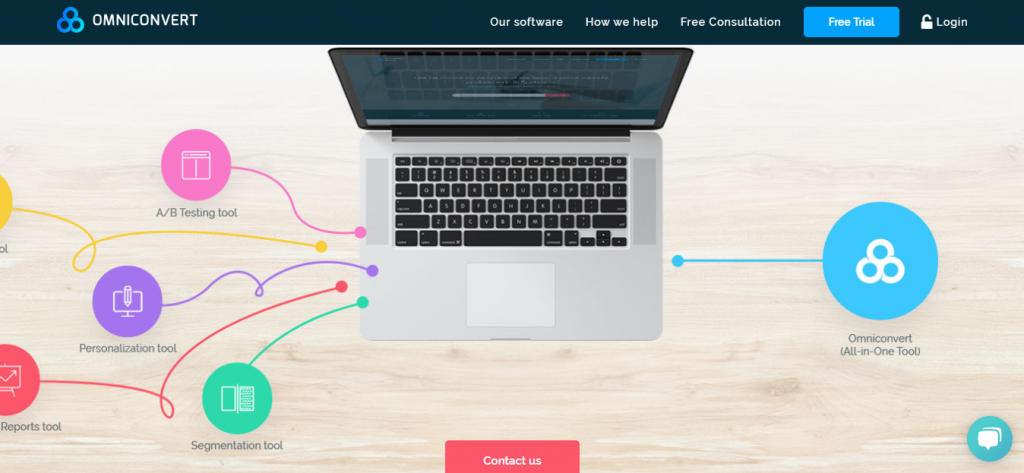
As a conversion rate optimization platform, Omniconvert offers an A/B testing tool, in addition to, overlay, personalization, and segmentation tools. Utilizing their A/B testing tool, you can efficiently run A/B tests on desktop, tablet, and mobile. Besides, you can change winning stories of an A/B test into an instrument for future analysis and leverage Bayesian or Frequentist statistics to verify your tests.
Omniconvert further combines its segmentation tool with the A/B testing tool to allow you test more than 40 segmentation parameters, such as traffic source, geolocation, and visitor behavior, to enhance your the user experience of your website, product features, and content’s ability to engage and convert. Omniconvert could be a great A/B testing solution for a medium-sized business.
5. Crazy Egg
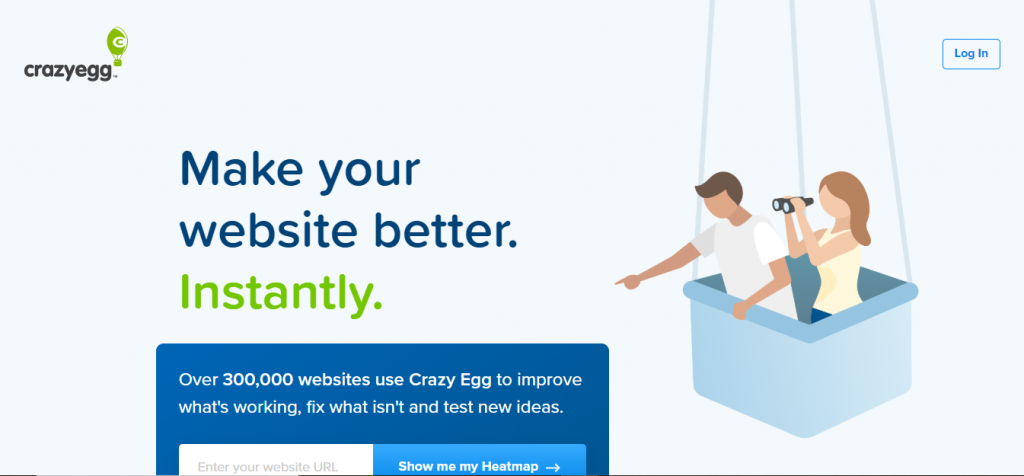
As a website optimization software, Crazy Egg allows heat mapping, A/B testing, and usability testing tools. The A/B testing tool grants you to test the different variations of each page exclusively on your website by adding up one snippet of code to all the pages you need to test on.
Crazy Egg also enables you to build A/B tests without any coding knowledge. Along with that, it carries more traffic to the ideal variant of your test after recognizing it’s the champ and offers automatic conversion tracking and reporting tools.
6. AB Tasty
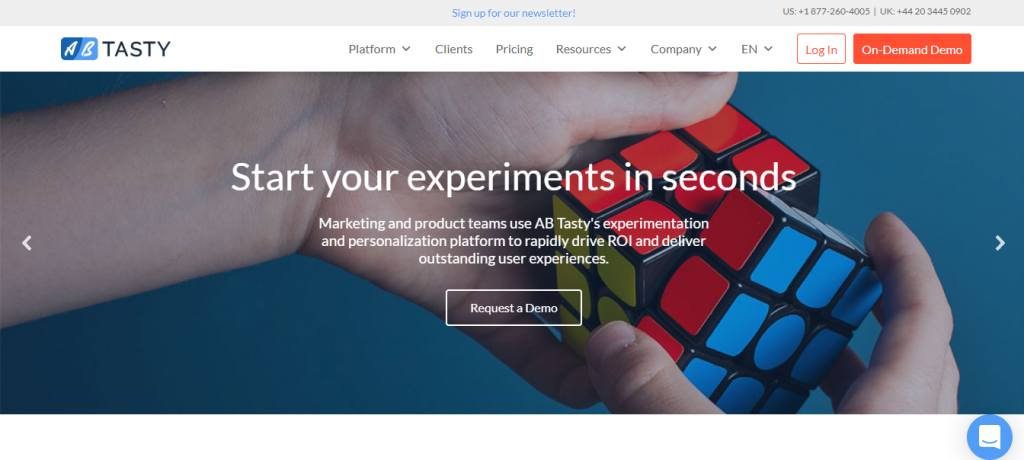
Offering A/B and multivariate testing, marketing, data insights, and personalization tools, AB Tasty is a conversion rate optimization software that is trusted by labels like Ugg, L’Oréal, Sephora, and Carrefour to name a few.
Utilizing their experiments tool, you can create and run multivariate tests, funnel tests, split tests, and A/B tests with their visual editor. You can also harness their advanced targeting test based upon multiple criteria such as URL, weather, geolocation, and more. To further verify your tests, AB tasty presents reports that showcase your tests and their degree of confidence in real-time.
7. Freshmarketer
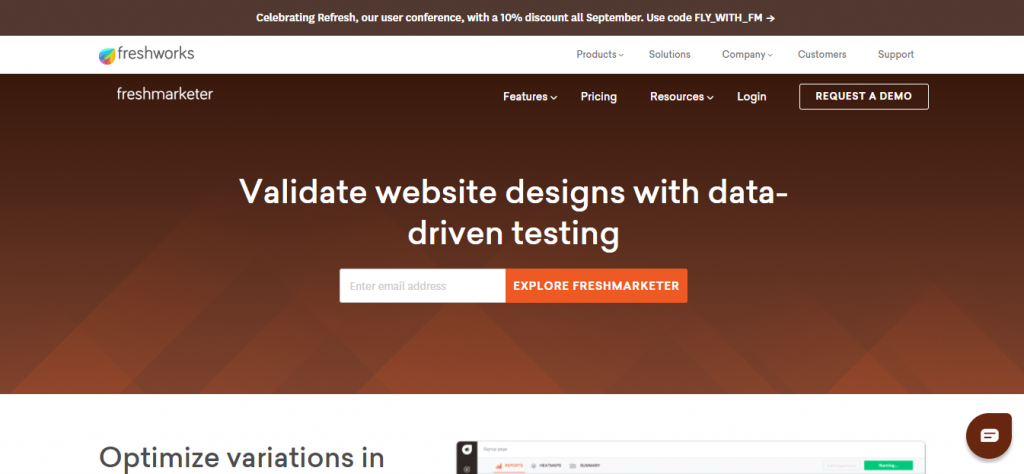
Freshmarketer is the marketing branch of the business platform, Freshworks. Their A/B testing tool helps in testing, targeting, and verifying your experiment, integrating with Google Analytics, and tracking the amount of income your experiments have generated.
The Split URL testing tool of Freshmarketer can support you to test many variations of URLs and convert winning test variations into actual web pages and grasp the efficiency of your web design by giving heatmaps of each variation of your split URL test. If you work for a small firm, Freshmarketer could be the right kind of A/B testing solution for you.
8. Convert
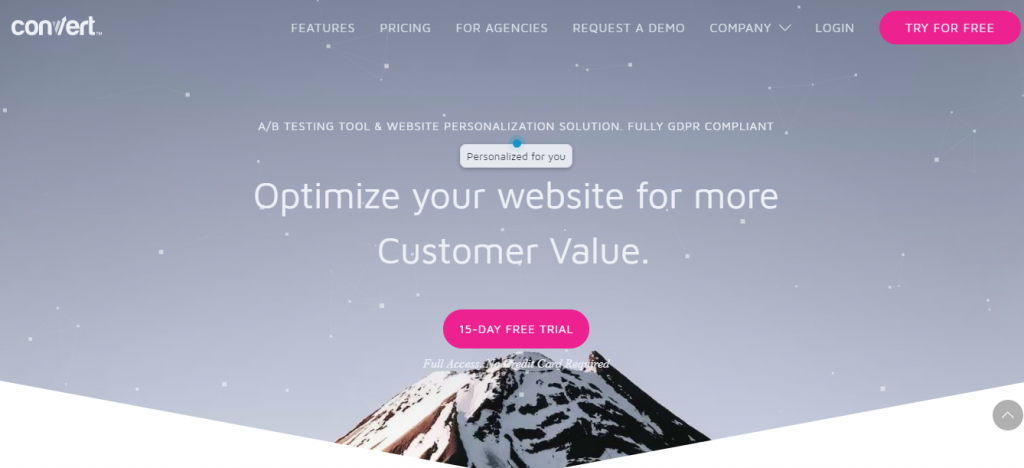
Trusted by brands like Unicef, Sony, and Jabra, Convert is a web personalization software that allows A/B testing, multivariate testing, split testing, and multipage experiment tools. The advanced segmentation tool of Convert enables you to segment consumers based upon their past behavior, cookies, and JavaScript events.
Convert can further measure the efficiency of all your tests by reporting on a mix of metrics, from your variations’ click-through-rate to its return-on-investment. Best suited for small businesses, Convert also gives you a slew of integrations with third-party tools, such as Shopify, WordPress, and HubSpot.
In this list, we’ve incorporated the top 8 A/B testing tools for nearly every conceivable requirement you could have. Even though all these platforms are excellent in their own accord, but the most suitable option for you depends upon your distinct needs.
Hopefully, we’ve led you on the right path and making an informed decision for yourself will not be difficult after reading our blog. Let us know if we have goofed out on some other A/B testing tool that should have made its place in this list.
Also, you might want to read our blog on Ideas & Tips About eCommerce A/B Testing and employ it to your benefit.
What is eCommerce A/B Testing?
eCommerce A/B testing is a scientific process of assessing a marketing variable compared to a control. The process takes place when brands display a percentage of users, either the variable or control edition of a marketing asset. If executed properly, this practice helps businesses assess the efficiency of a variable related to the control.
In general, this eCommerce testing method produces an ongoing circle of optimization and contributes to brighter marketing decisions.
eCommerce Testing Ideas
With various advancements in eCommerce and marketing technology, brands can A/B test nearly all assets. However, we’ve observed that some specific areas are especially well suited for testing.
eCommerce Website
Calls to Action
Consider assessing the color, font-weight, size, capitalization, and shape of the button. Each factor influences users in a different manner, so make sure to take your time to evaluate the ways to continue getting better.
Page Layouts
Assess heading, form, button, and image placement. All these elements add to the overall user experience helping to make or break the purchase process.
We keep evaluating checkout pages and product detail as a part of a regular eCommerce AB testing process. These pages give a high conversion rate for brands. So, it should be the center of gravity for future success.
Product Imagery
Testing the layout and content of the images of your product can drastically influence the purchasing decision of a customer. Consider assessing lifestyle vs outlying product images, on your product detail pages. Furthermore, you can analyze if user-generated pictures work better than branded imagery in multiple places throughout your store.
Pricing Strategies
Testing individual or bundling pricing can support brands thoroughly comprehend how these essential features influence conversion directly. If feasible, we encourage brands to estimate their pricing/conversion relationships and analyze how they eventually affect profitability. You may discover that you can alter pricing to improve conversion without impacting profitability.
Promotional Offers
Consider testing discounts, free shipping, and extra perks across your website. Analyzing these factors can provide better insight into what resonates with your consumers. You can then utilize this data to notify future marketing promotions.
Emails templates
Template design can significantly affect eCommerce email engagement. Evaluate the template with similar subject lines and messaging to understand what formats allow the best marketing promotion. Consider testing the placement of your CTAs, logo, banner imagery, and body of the message.
Subject Lines & Preview Text
One of the most clear-cut elements of email for testing is subject lines & preview text. Assessing various email subject lines can help you recognize what version gets a higher open or click rate. Examine your results and then apply the subject line that will fetch you maximum interaction.
Creative Imagery
Test product highlights, banner imagery, and additional graphic components within your email content to estimate what drives your users to convert. Even though content varies from email to email, marketers can apply this information to know the trends and notify prospective marketing correspondence.
How to Run an A/B Test
Choose a Variable
While initiating your A/B test, there are some of the settings to determine. You will require to determine your variable first, just like an experiment. The variable must be the single thing that is unique between your two alternatives.
Set Distribution Percentages
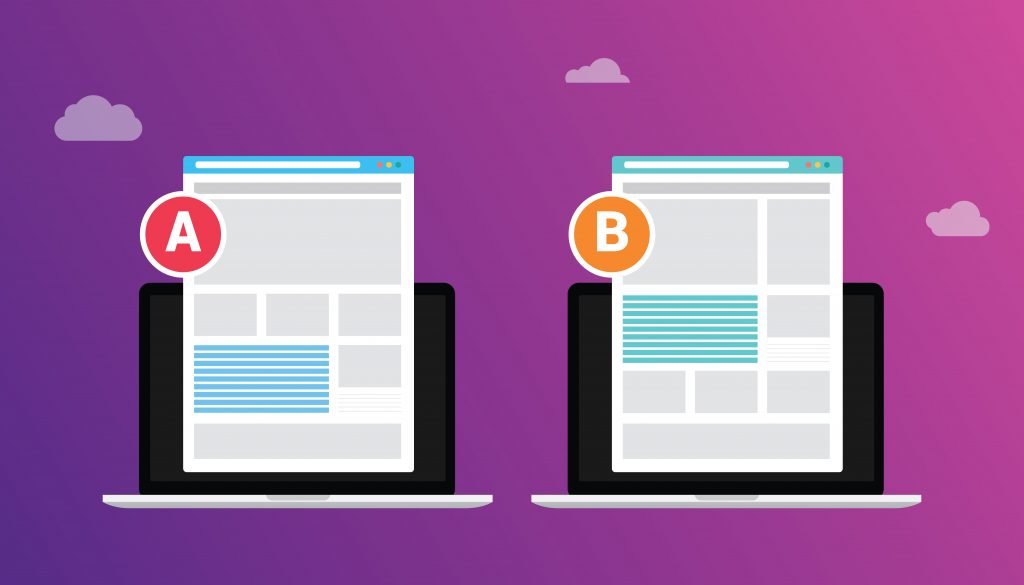
After resolving what you are testing, establish your distribution rates. We suggest sending Version A & Version B, each to about 15% of your audience. Following the come back of your results, the remaining 70% of your audience will receive the winning version.
Determine a Winning Metric & Duration
Following, you’ll need to establish the winning metric, as a standard that you will utilize to determine your winner. An example of our winning metric in the email subject line test is “opens by delivered.” HubSpot lets you pick from three winning metrics: clicks by delivered opens by delivered or clicks by opens.
You then require setting the duration of your test. We usually suggest longer test times to make sure your results are accurate.
Set Fallbacks
Lastly, keep in mind to set your fallbacks. Like any other regular experiment, things can go wrong. The size of your sample may be too small to produce reliable results, or they may be uncertain. Consequently, it’s best to establish the version you require to send if you run into any of these problems.
Statistical Importance and Data Validity
Even though we strongly believe in the advantages eCommerce a/b testing can give, we advise you to assure that sample testing sizes are large enough to generate statistically significant conclusions. The testing will be invalid in case your audience is not big enough.
A/B testing is based upon numbers and alterations are only made if the data backs it up. While testing eCommerce websites and emails, you will generally require an enormous user base to produce a representative sample size.
In general, eCommerce A/B testing is a time taking process that requires firm dedication and attention. In case you need any help in developing a roadmap to operate your A/B testing or want to know which A/B testing tools to use, we would be pleased to help! Don’t forget to contact us through the comment section given below.