Let’s face, each one of us desires to be ranked first on all the term someone searches on Google or Bing. Unfortunately, it’s not that simple as we might think it to be.
You should use the best to be the best. That’s why knowing the best tools is a vital part of your eCommerce SEO strategy. From legacy eCommerce tools for SEO to business disruptors, we’ve outlined a list of SEO tools to aid you to become more productive & efficient with your optimization endeavors.
eCommerce SEO Tools We Recommend:
- Google Structured Data Testing Tool
- Google Analytics
- Google Search Console
- Google My Business
- Google Tag Assistant
- Google AdWords Keyword Planner
- Google PageSpeed Insights
- SEO Site Checkup
- Keywords Everywhere Browser Extension
- Keyword Keg
- Screaming Frog Spider Tool
- SEMrush
- Moz Pro Keyword Explorer
- Moz Pro On-Page Grader
- Moz Pro-Link Explorer
- Raven Tools Link Manager
- Ahrefs
Free SEO Tools:
Google Structured Data Testing Tool
The Structured Data Testing Tool of Google supports the merchants to build new website pages and make better the existing ones with manual optimizations. Above all, this tool confirms the accuracy of the structured data. Google often draws structured data and schema.org toward its Knowledge Graph, which is a significant advantage that can result in improving search visibility.
Google Analytics
If you own or maintain a website, you must employ Google Analytics. The tool records visualize and analyze the website statistics to support your business to grow.
With this tool, you can connect website traffic to various other sources and perform eCommerce tracking to register purchases. Apply goals to calculate the conversions of lead generation or monitor your website with real-time records. Despite the size or vertical of your business, we applaud Google Analytics for being one of the most beneficial SEO tools to measure and increase the performance of your website.
Google Search Console
If you’re trying to improve your presence on organic search, we advise going directly to the source with Google Search Console. This tool utilizes search analytics to support you optimize your content, present your websites, and precise URLs for indexing, along with getting alerts about any issues on the website. In general, it helps you learn how Google views and ranks your pages.
Google My Business
Google My Business allows businesses to design and uphold an online profile with high visibility that displays in Google search outcomes. This readily available SEO tool encourages businesses to mesh with consumers and exhibits photos, hours of service, customer reviews, and more.
We suggest that eCommerce businesses enhance their accounts of Google My Business page with content and graphics that enriches their brands. Moreover, companies should show what makes their products uncommon and earnestly acknowledge customer reviews.
Google Tag Assistant
Google Tag Assistant assists you set up Google Tag Manager, Google Analytics, Google Ads, and other tags accurately. Employ this tool to audit current tags on your website, recognize errors, and execute recommended changes. This user-friendly browser extension helps lessen the headaches and guarantees reliable data from Google tools.
Google AdWords Keyword Planner
Probing for keyword ideas? Although this tool is designed for Google AdWords campaigns, it still can give value for organic optimization.
Utilize Google AdWords Keyword Planner to know relevant phrases and measure associated search volumes. You can additionally consign this information through Google AdWords to analyze later.
Google PageSpeed Insights
Google PageSpeed Insights API (PSI) measures the performance of the page and presents ideas to help you better. This tool gives lab and track data, helping debug performance concerns and seizes a genuine, real-world user experience.
The times of Page load affect organic search rankings. The businesses are advised to use Google PageSpeed Insights regularly, to assure their websites load fast and display in organic search results.
SEO Site Checkup
This set of tools gives insights for a variety of issues in SEO. You can begin with, picking items you need to improve, like, visitor breakdown, backlinks, sitemap files, favicons, and many more, you name it! SEO Site Checkup will allocate your site a complete letter grade and recognize the most critical fixes to help you develop.
Keywords Everywhere Browser Extension
This free extension of the browser shows exact search volume, CPC, and engagement data to help you recognize keywords that can drive your business ahead. The Keywords Everywhere Browser Extension recommends relevant, long-tail phrases and lets you download keyword files with CSV, Excel, or PDF file formats.
Keyword Keg
Keyword Keg‘s three central features can assist businesses to undertake keyword research. Import Keywords, Find Keywords and Merge Words tools, help recognize relevant keyword possibilities. This browser extension gives keyword metrics and creates various keyword combinations to increase your future organic research track.
Paid SEO Tools:
Screaming Frog Spider Tool
A computer extension, Screaming Frog Spider Tool comes with a wide array of features and functionality to scale the SEO strength of your site. Once you run a crawl, the export will incorporate insights regarding underlying factors, such as alt tags, title tags, and 301 redirects to an Excel document for a reliable analysis. Although its interface is a bit troublesome to navigate, the data Screaming Frog Spider Tool gives significant value to support you keep your eCommerce store.
SEMrush
SEMrush is a complete marketing resource that offers SEO, social media, paid traffic, and PR/content analysis tools. The SEO tool gathers keyword data, backlinks, anchor text, ranking position, and more to facilitate you get a comprehensive view of your organic trail.
Moz Pro Keyword Explorer
Moz Pro Keyword Explorer employs a unique method to show keyword difficulty based on page/domain authority, page/domain rank, current rankings, competitors, and more. It also analyzes keyword difficulty and offers a fresh alternative to additional keyword suggestion tools.
Moz Pro On-Page Grader
Moz Pro On-Page Grader is an on-page analysis tool that evaluates the quality and relevance of a URL based upon your desired keyword. The report card allocates a letter grade to your URL and shows actionable suggestions to enhance the quality of the page.
Moz Pro-Link Explorer
The vast link index of Moz Pro-Link Explorer assists you to formulate sound strategies, track development, and reveal the prospects of valuable connection. This tool utilizes a machine-learning algorithm that imitates Google’s index to prioritize the links, track Spam Score, easily compare link profiles, and make a link tracking list to monitor links over a period.
Raven Tools Link Manager
If you’re directing link-building measures on your site then, this link constructing management tool is a pre-requisite. Raven Tools Link Manager assists businesses to examine the active and inactive links, backlink domains, and link anchor text.
Ahrefs
Many marketing and SEO experts suggest Ahrefs as one of the reliable eCommerce SEO tools. Employ Ahrefs to search for competing websites by viewing at “Top Pages” and specific keywords that direct visits to their sites. This data helps you determine why your opponent’s rank for coveted keywords and learn what you require to improve overall rankings.
Next Step
Curious to know about the effectiveness of a great eCommerce SEO strategy in helping to grow your business? Want to talk with a specialist about ways to put these tools into action? We’d be glad to hear from you!
Hopeful to finding more about your business and recognizing means to help you attain your organic search goals.
Headless Commerce enables you to display a back-end product catalog without the layout constraints of a traditional eCommerce platform. The approach lets you take complete power over the aesthetics and presentation of your products.
In such a situation, developers decouple the front-end (or “head”) theme or template from back-end data. Consequently, front-end developers are open to custom product category, detail, and checkout pages without established limitations of the eCommerce template.
Why It’s Helpful?
There are three principal variations between traditional and headless commerce:
- Front-end development prospects
- Customization and personalization
- Flexibility and versatility
Headless commerce doesn’t restrain the horizon of front-end development. With headless, you’ll need to create front-end presentations from scrape. The headless solution enables you to build your background for both users and admins, which optimizes customization and personalization.
Headless solutions also let firms to harvest the advantages of various kinds of website functionality under one whole website. For instance, blog content on platforms like WordPress or HubSpot could coincide with the data of products of different eCommerce sources.
The platforms of traditional eCommerce often have limited flexibility and customizability as opposed to other CMS options. On many occasions, detachment from limited front-end enables businesses to design solutions that truly fit their marketing and eCommerce requirements.
Who Is A Suitable Match for Headless Commerce?
The Content Marketer
Headless commerce is a perfect solution for eCommerce businesses, dedicating significant energy to content marketing and branding.
The functionality of eCommerce blogging can be disappointing, and various businesses need a separate blogging platform. Headless commerce lets the brands place their store and blog beneath one roof to integrate better and credit value to their content.
The Customizer
Headless commerce offers practically endless design customization. Therefore, businesses that demand unique and unorthodox eCommerce template designs are ideal candidates for headless commerce.
Headless solutions disjoin the front-end and back-end data, which allows designers and front-end developers’ have complete charge over the aesthetics of your store. Consequently, you can create original and customized product detail, category, and checkout pages that drive behind the limitations of conventional eCommerce templates.
The B2B Geeks
We’ve noticed numerous B2B eCommerce businesses benefit from headless due to the reason that it allows them to integrate with CRM systems fully. For instance, companies employing HubSpot CRM and CMS for eCommerce can centralize their sales efforts and marketing with a single platform.
Furthermore, many B2B eCommerce businesses don’t want the complete eCommerce functionality that’s generally present in eCommerce templates. Consequently, headless commerce enables them to promote products, descriptions, and more without requiring direct marketing through an eCommerce system.
What Platforms Can You Use?
To own a successful and productive headless business site, you will require both an eCommerce platform and a front-end CMS platform. WooCommerce is one of the most extensively used platforms for headless solutions in the present scenario.
BigCommerce is another fit for expanding businesses that process more sales or manage larger catalogs of products. Lately, BigCommerce released a WordPress integration that makes the link even effortless. Also, HubSpot and BigCommerce integrations produce nearly similar functionality.
That said, Magento is another one of the best known open-source eCommerce platforms, that too for a good reason. It has more features than you have ever expected to use opening all kinds of avenues regarding marketing to the customers and creating things such as recurring payments, membership plans, and discounts.
Additional Considerations
Once you choose to engage in a headless commerce solution, it’s essential to consider some of the chief elements of your website design.
Firstly, don’t forget that your eCommerce platform will manage product listings. So, ensure that your product listings are well organized and up to date. Also, make sure that the descriptions in your eCommerce platform (or PIM) are ready to be facing the consumer.
Secondly, ensure to offer a secure checkout experience to make your customers feel safe and protected carrying the business through your site. The practice will also build the trust of customers in your brand.
Lastly, cart experience is the most crucial make or break portion of eCommerce. A smooth checkout is vital for your customer to make a purchase.
If your checkout process is time-consuming or confusing, your customer will possibly abandon their carts and leave your site. View your customer as they operate your site, and make everything as simplistic and effective as possible.
In general, headless commerce is a promising area cropping up in the eCommerce space that’s ripe for technological innovation.
Read our blogs to know more about eCommerce. Also, feel free to reach us, and we’d be delighted to help you!
What is eCommerce Automation?
eCommerce automation is a blend of software, processes, and mindsets that enable enterprises to eliminate manual action from the order lifecycle.
From content circulation to process amalgamation, eCommerce automation helps in saving time and money for businesses. Moreover, this method lessens unnecessary tasks and standard workflows to help you concentrate on driving your business forward.
Automating your eCommerce process increases efficiency and ensures consistency in its functioning like that for customer service, inventory management, payment and invoicing, returns/refunds, order management, email workflows, and shipping.
What Can You Automate?
Orders
EXTERNAL FACING – Clear and active communication of order information can help built faith of the customers in your company and your process. To achieve that, we recommend that brands establish four key external automation workflows for high-pitched activities:
- Purchase receipt and confirmation
- Shipping and delivery notifications
- Returns/refunds processes and documentation
Even though this list is not complete, still many clients have profited a lot from building a baseline with these workflows.
INTERNAL FACING – In the background, there are many phases of the purchase process that help your enterprise save time and lessen headaches. Amongst these, we suggest the merchants should automate the following:
- Inventory levels across all the selling channels
- Order processing connecting eCommerce platforms and fulfillment systems like 3PL, ERP or POS
- Accounting updates
However, these aren’t as flashy as, the external-facing workflows, they can yield significant value in a brief amount of time. If you haven’t thought of implementing internal automation for your business, we strongly encourage you to explore your alternatives and see what works the best for your business.
Marketing
Marketing automation isn’t a new concept; however, this field has bloomed considerably. Marketing automation in eCommerce enables businesses to acknowledge the issues of customer boosting repeat purchases.
There are unlimited opportunities for eCommerce marketing automation. But we have outlined some of the solid starting points for businesses:
- Post-purchase email marketing
- Abandoned shopping cart email workflows
- Approach property updates about the items purchased or behavior
- Retargeting promotion
- Customer regain campaigns
- Consumer feedback workflows
- Customer service chatbots
Each of these modes of marketing automation can benefit businesses to build connections with more customers in a shorter time. Although there isn’t a real substitute for human interaction, still implementing eCommerce automation can help many brands attain their marketing goals.
How Can It Help?

Automation increases functional efficiencies and consumer experience. Especially, eCommerce automation helps businesses to accomplish the following:
- Prevents overselling by maintaining inventory levels
- Exhibits consistent and reliable product data
- Guarantees orders are delivered as promised
- Makes refunds/returns effective and easy
- Enables customers to trace the shipping process
What Tools Can You Use?
eCommerce automation tools differ from one another based upon the goals and obstacles they intend to solve. When it comes to marketing, we usually recommend either Bronto or Dotdigital.
Both tools enable businesses to automate abandoned cart emails, reminders, run promotional campaigns, send welcome emails, behavioral-based marketing, and effortlessly integrate with eCommerce platforms.
ActiveCampaign and MailChimp is another option that you can explore. These tools connect easily with your store to update contact data with purchases, trigger automatic emails, and more. The best aspect of MailChimp is its simple integration with all prevalent eCommerce platforms like Shopify, WooCommerce, and Magento.
On the business front of things, the perks of automation tools are more distinct. If you aren’t getting what exactly you’re searching for, custom extensions can nearly always deliver you the desired functionality.
If you’re keen on exploring more about eCommerce, then click here to read our other blogs on eCommerce.
Still, got questions? Be comfortable to reach out to us through the comment section below, and we’d be delighted to help!
eCommerce email marketing grows, to be one of the most compelling tools in digital marketing, it’s quick, assessable, and accessible. However, if you’re accustomed to email design, you recognize that each email client contributes to content differently. Even though some of the email clients are well-versed with the most advanced technology, many are still ages behind the best practices of conventional website design.
As inboxes have become overcrowded, the attention span has also decreased, businesses face many marketing challenges. Do you want to improve your open and click-through rates? If yes, then you must be wondering how?
A well-designed email is essential for driving conversions. Due to which sticking to the following, best practices will make sure your emails render promptly and correctly across all platforms and devices.
Some of the best email practices:
- Keep It at 600 Pixels
- Simple is Eternally Better
- Build a Visual Hierarchy
- Stick with Custom Fonts
- Use Constant Branding
- Personalize Wherever Possible
- Test and Improve
1. Keep It at 600 Pixels
The ideal width of an email is 600 pixels. This recommendation has endured the test of time as various browser-based email clients need added interface space and don’t provide a full-screen viewing experience.
We strongly suggest creating vertical designs as opposed to horizontal ones. Although horizontal layouts can add visual interest, these designs usually encounter formatting issues when they respond to the sizes of the mobile device.
Overall, don’t forget that your emails are liable to be opened in different devices by various clients. You can proactively dodge formatting issues that may arise if you create from the perspective of a mobile device.
2. Simple is Eternally Better
As we all know the attention span of an average adult is 8 seconds only. Due to which it’s necessary to make easy to read and eye-catching emails.
Including imagery or video is an excellent technique to condense content and convey your message visually. It’s also essential to provide content room to breathe and improve readability. Text embellishments like short paragraphs, bullet points, and white space will help you achieve this.
3. Build a Visual Hierarchy
An exceptional and effective email layout guides users to perform the coveted action. Like our graphic designers create a system that facilitates this action.
To achieve this goal, we advise building a visual hierarchy to communicate what sections of your email are the most prominent. We usually practice the “squint test” to instantly evaluate the parts of the design that carries visual mass.
Although each email varies from one another, we’ve found a repeatable model which can help you through:
- Logo
- Compelling Image
- Call to Action
- Influential Headline
- Supporting Text
- Additional Call to Action
Don’t forget that the goal of every email and its audience will be varied. We boost you to try-and-test with a hierarchy that serves for your distinct needs.
Nevertheless, keep in mind that your users should be capable of scanning quickly through your content and comprehend what components are the most essential. Eventually, this will help them sail through your call to action instantly and help them convert.
4. Stick with System Fonts
Even though we prefer the customization and versatility offered by web fonts, they are not generally recommended in email. Accordingly, employing them in emails can result in unexpected fallbacks and unpleasant look on less progressive email clients.
We suggest adhering to web-safe fonts like Tahoma, Arial, Times New Roman, Helvetica, and Georgia. Using these fonts will assure that the appearance of your email remains uniform across all email clients and devices.
However, you might not find something, that’s a counterpart to your current branding, we encourage you to discover a similar font. Once you select an email font, continue with it and add these styles to your brand guidelines to keep your team informed.
5. Use Constant Branding
While composing your emails, keep your logo, color palette, and layout components compatible with your website. Employing this will accommodate users to know precisely who the email is coming from as soon as they open it.
The banner space of your email is a fabulous opportunity for you to get creative with typography, as it is embedded in the image. Consider practicing a branded font to pull in the reader and then apply standard fonts in the body of the email to give the details.
6. Personalize Wherever Possible
In a lot of ways, the email experience starts even before users open your message. Therefore, it’s incredibly crucial to consider subject lines, sending the address, and preview text.
Even though subject lines and preview text is usually neglected, these elements can remarkably impact your open rates and engagement. Work upon including a personalization mark for your recipient’s name in the title line to give your email a personalized feel.
7. Test & Improve
With eCommerce A/B testing, you can examine several designs against each other to observe what colors, buttons, or font sizes work the best for you. Gathering this data will enable you to target your audience in the most effective means possible for propelling forward.
The purpose of email marketing is to captivate and delight your customers with engaging content that is tailored, especially for them. Collecting added data about your customers will enable you to optimize the design for a better, more personalized experience. At its heart, the best practices of effective eCommerce email design help marketers accomplish their goals.
Want to learn more about email marketing and design? Reach Axtrics today! We’re pleased to get you in contact with our digital marketing experts.
Personal associations are the essence of every positive customer experience. Companies are recognizing that online communications are equally valuable than face-to-face touchpoints.
At Axtrics eCommerce, we consider customer experience as an umbrella that encompasses the complete purchase cycle. Underneath it, your website, shipping, marketing, and customer service formulate micro-moments, affecting customer sentiment. It is generally regarded as a “delight” portion of its inbound marketing flywheel.
You tend to increase the possibility of repeat purchases and build brand loyalty by delighting your customers. Eventually, driving towards increasing revenue. Businesses need to create tailor-made programs that will serve the need of their customer. To get you started, we’ve outlined five proven ideas to enhance the customer experience.
Ideas to Improve Customer Experience:
Prove your value
Does your site clearly showcase what makes your business better than your competitors? Do you efficiently convey your Unique Selling Proposition (USP)?
Visitors often come to a website to solve a problem, answer a query, or get a product. Once they access your store, you must instantly demonstrate how your business greets their needs.
Your unique value proposition helps decrease purchase barriers and builds customer trust. For instance, consumers pay for Amazon Prime because of the service and savings it offers. Try applying this notion to identify a specific service or value your business can provide resolving a customer point of pain.
Make Your Customer Feel Special

When we think about exceptional service, we usually wind up focusing solely on, accomplishing whatever it takes to create a happy customer.
You can develop strong customer relationships by tending to the needs of the client, introducing them to the latest products they may incline towards and following up on queries and leads. Learning about your client personally cultivates trust and makes a business reliable. Similarly, following up with inquiries helps you comprehend what your customers value, which can help you grow in the future.
Although the one-on-one conversation isn’t always feasible, there are some strategies that you can use to show your customers some regard. On the eCommerce side, you can consider the following:
- Assess return policies
- Personalize your website
- Give exclusive discounts and offers
- Personalize packaging
- Incorporate phone and live chat customer service
Have a Conversation

Businesses need to return to customer queries as quickly as possible. Implementing online chat, availability on the phone, and text messaging provides accessible and immediate service to the customers. According to HubSpot, nearly 90% of consumers consider fast or quick response as “important” or “very important” if they have a question related to customer service.
It’s also essential that your visitors can see your contact information. We suggest highlighting this information or prominently featuring it, at the top of your page for easy access. For instance, Zappos highlights a customer service menu at the right top of the page that guides you to Live Chat, contact info, FAQs, and feedback forms. All these factors subtly display how businesses value their consumers and aim to provide an outstanding online experience.
Stay in Regular Communication

Enterprises create a portal for communication with its consumers. Keep your customers in the loop by verifying orders and giving shipping notifications. You can also canvass new ideas to enhance their experiences on your site or enable them to share your information with their social networks. If appropriate, we also suggest considering adding a general FAQ page.
Provide Security

Customers prefer businesses that take the security of their data very seriously. Here is where employing blockchain is convenient. Blockchain positively impacts data security, offering stronger encryption and validation with complete signatures across the node. Blockchain lets you manage the customer retention process in real-time, besides making scalability easier without jeopardizing security.
Undoubtedly, people prefer to become a part of a business when they feel the company is putting efforts in keeping their data protected. So employing blockchain and ensuring your customers know their data is secure will be extremely beneficial to their experience.
In general, repeat communication with your customers builds brand recognition and customer loyalty. Consumers are the core of any business, and it’s your job to provide top-notch solutions to their problems. By accomplishing this, you foster a relationship that will keep them coming back for more.
Got some questions regarding how your business can enhance its customer experience? Without any hesitation, reach out to our team through the comment section below.
Modern eCommerce enterprises require tools to help them bloom. However, the plethora of choices can often be mind-boggling.
To help you out, we’ve sketched some of the popular tried-and-tested eCommerce marketing tools to support businesses reach their goals. Whether you’re searching for some marketing automation platform or SEO tools, we’ve got you covered.
Some of the most used and popular eCommerce Marketing Tools:
HubSpot
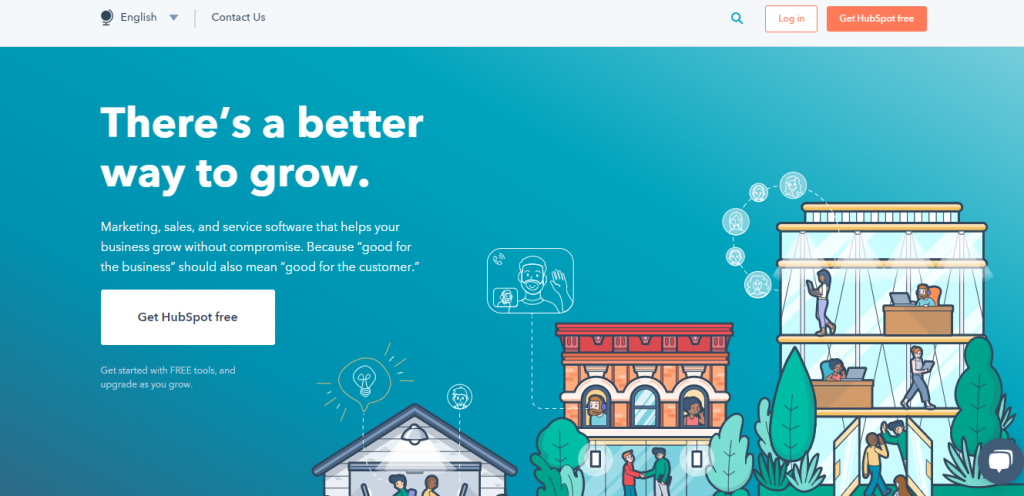
HubSpot is a package deal inbound marketing software that highlights multiple tools that drive eCommerce success. HubSpot’s software at a high-level is distributed into some key areas:
- HubSpot Sales – CRM, Deals, etc.
- HubSpot Marketing – CMS, Marketing Automation, etc.
- HubSpot Service – Live Chat, Ticketing, etc.
eCommerce businesses can utilize HubSpot’s marketing automation to tailor emails, unique content, and offers. Brands can use HubSpot CRM integration to maintain interactions and connections with possible and current customers.
Although HubSpot was formerly produced separately from eCommerce platforms, their latest eCommerce Bridge generates added opportunities for alliances and connections with online stores.
Google Marketing Platform
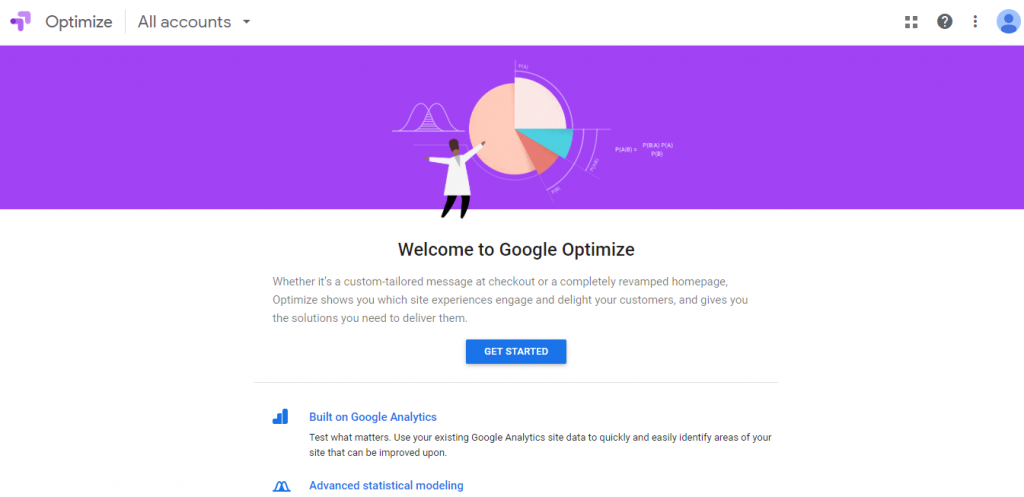
Although we could have written an extravagant amount of posts about the marketing tools that Google offers for eCommerce enterprises. However, in this post, we’ll provide a noteworthy overview of a few tools that can improve visibility, rankings, and conversion. These tools include:
- Google Ads – Digital Advertising
- Google Analytics – Website Insights
- Google Optimize – A/B and Multivariate Testing
- Google Tag Manager – SEO and Website Optimization
- Google Data Studio – Reporting and Visualization
These are merely some of the many tools available within Google’s Marketing Platform. You can employ these tools daily and get notable value in the advantages they offer. From testing to reporting, Google stays a leader in the digital marketing industry and can benefit eCommerce businesses to grow.
Smile.io
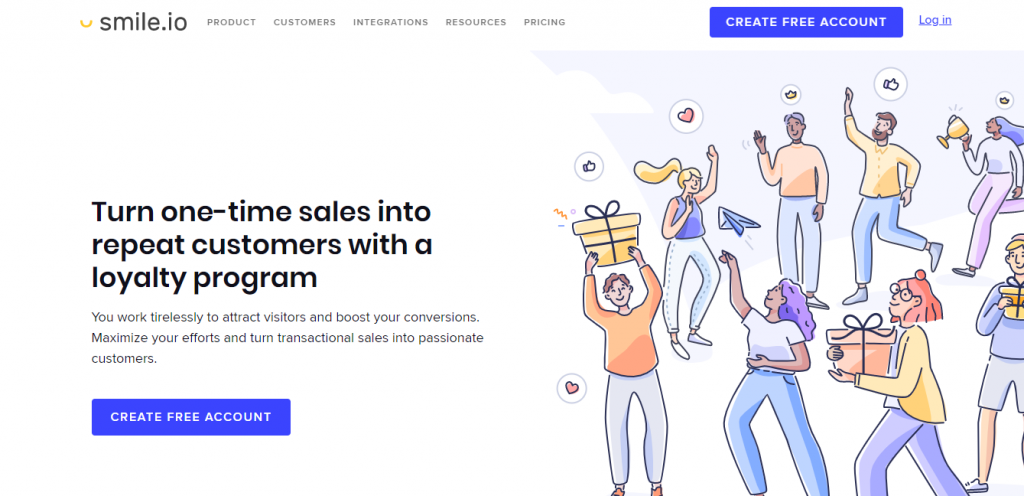
Smile.io (earlier Sweet Tooth Rewards) is an eCommerce loyalty program software created for eCommerce enterprises. Smile.io enables you to develop loyalty programs that are accessible to engage with and follow in which businesses can grant rewards in various ways. These include:
- Point Systems
- VIP Systems
- Referral Systems
Even though each of these programs differs in structure, each one of them encourages repeat shopping and nourish existing customers to develop lifetime value.
Yotpo
According to Yotpo, around 43% of customers trust reviews more than other kinds of user-generated content. However, several brands still don’t add UGC in their eCommerce strategy.
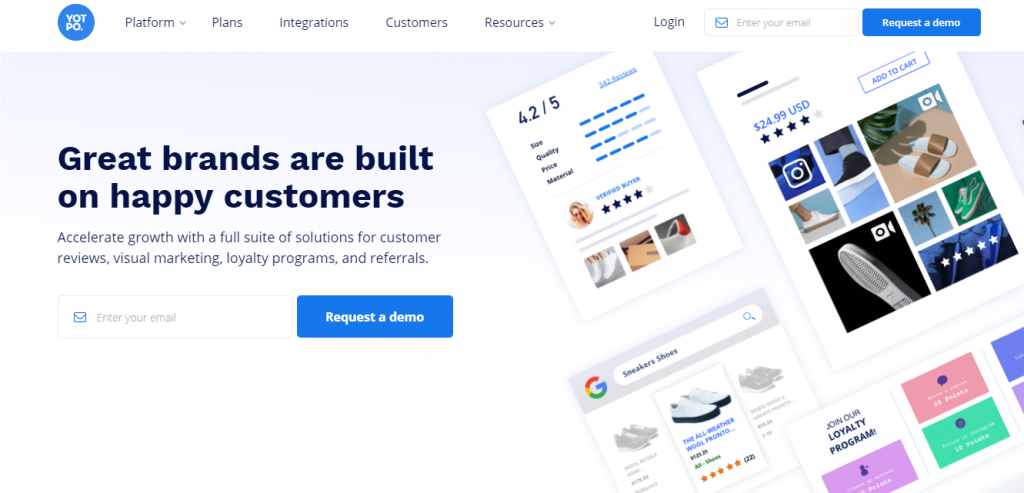
Yotpo is a platform for user-generated content with several features including:
- Reviews and Ratings
- Loyalty and Referrals
- Visual Marketing
- Consumer Insights
Reviews and ratings combine third-party credibility to your store, assisting businesses to validate their buying decisions.
In general, Yotpo is a proven industry leader in the user-generated content area and we suggest looking into them as a provider.
MailChimp

One of the leads in email marketing, MailChimp provides a user-friendly approach to let your customers acknowledge what’s taking place in your business. Either it’s some recent news regarding your company or sharing a brand-new product, you can surely let them in on what they need to know.
Design email campaigns that suit the best to your business. One of the unusual things about MailChimp is its marketing automation that benefits your marketing strategy.
For instance, send a reminder or memo to visitors who left your online store not having made a purchase. Or those who may have something within their online shopping cart but didn’t check out. You can also gain new shoppers by integrating with Facebook and Instagram.
Klaviyo
An email marketing tool, Klaviyo, is designed especially for eCommerce businesses. This tool surpasses marketing automation and makes it easy to experiment with distinct subject lines, unique content, or timing of emails, in a series.
You can employ Klaviyo as a component of your dropped shopping cart email strategy, win-back campaigns, and more. Furthermore, you can experiment and boost your automated emails with A/B testing. Additional features include:
- Forms and Personalization
- Data Science
- Segmentation
- Automation
- Reporting
SEMRush
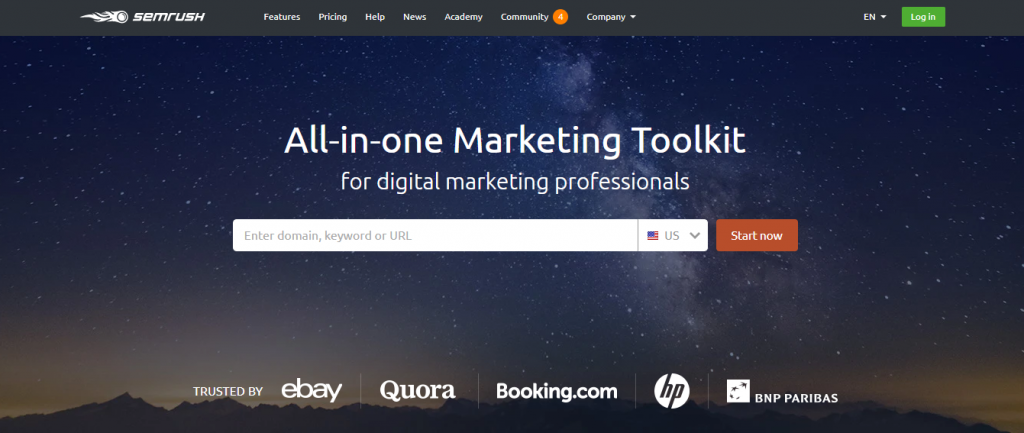
SEMRush claims itself as a multipurpose marketing tool offering SEO, social media, paid traffic, and content/PR analysis tools. It is a vital tool if you’re checking the analytics of all online retailing, including SEO, social media, and PPC. This tool is excellent for competitor and advertising research.
You can easily see your domain analytics via organic and advertising research, just by typing the URL of your domain name. Their video and display exhibit is currently in beta version; however, you can view all digital content without going to the real provider.
The SEO tool manages anchor text, keyword data, backlinks, ranking position, and more to help you get a general outlook of your organic footprint. SEMRush examines your content to help you perform better against your competitors.
SearchSpring
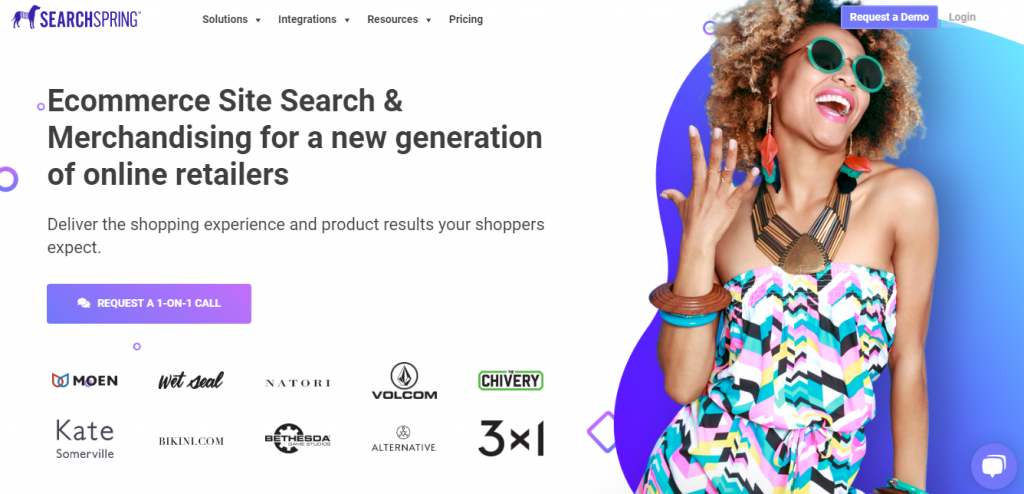
Online customers who use on-site hunt are 3 to 5 times more inclined to convert. As a result, brands should concentrate on ways to improve these users convert.
SearchSpring is an on-site search and marketing platform that offers a medley of features to help consumers find what they’re scanning for, faster. These include:
- eCommerce Site Search
- Navigation and Category Pages
- Visual Merchandising
- Reporting and Analytics
- Product Discovery Tools
SpringSearch delivers unique eCommerce site-search intelligence, providing control when you want it to support you to improve your business.
JustUno
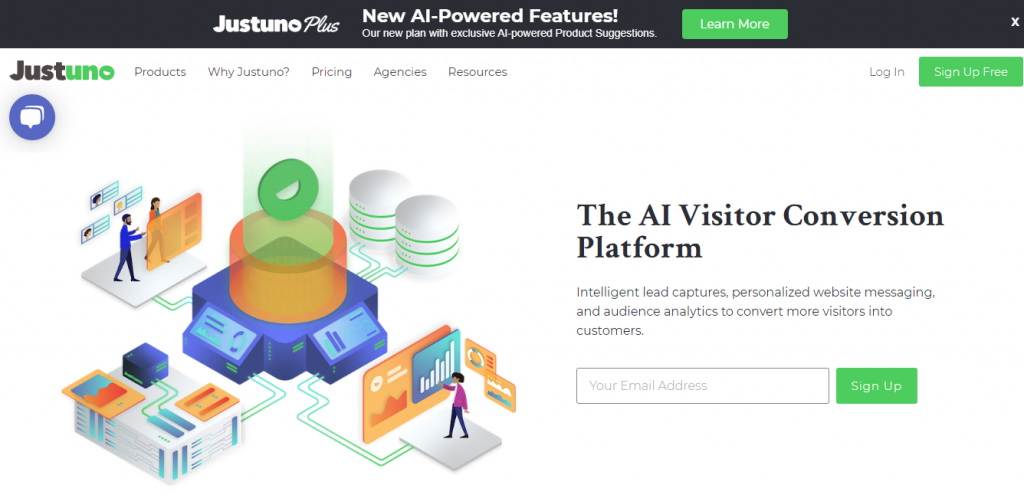
JustUno is a creative conversion optimization suite for email list growth, sales conversions, and onsite promotions. This eCommerce tool uses various methods to improve conversions and expand audiences for brands, utilizing real-time user data.
JustUno repositions pop-ups continuously from the early 2000s spam and preferably focuses on lead acquisition in a significant way. Although they may appear irritating, pop-up elements can significantly improve your email list over time.
Brands can generate engaging pop-ups for every kind of conversion purpose and visitor utilizing JustUno’s design canvas. You can also apply Custom Form Fields without doing any coding to obtain data on your site’s visitors for customizing lead capture campaigns.
Lastly, you can display various pop-ups based on user behavior to generate a customized and tailored experience for your users.
Moz Pro
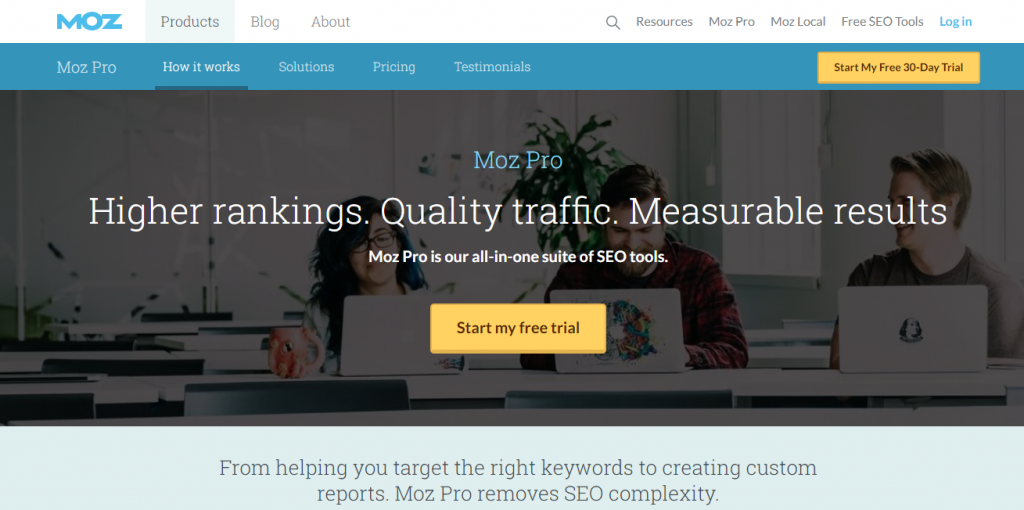
Moz Pro gives tremendous power for businesses looking up to improve their online visibility. This tool incorporates a wide range of features that can support you optimize your web pages, track rankings, and boost overall reach. These include:
- On-Page Grader
- Campaigns
- Fresh Web Explorer
- Link Explorer
- Keyword Explorer
- Rank Tracker
- On-Demand Crawl
Each of these tools addresses various facets of eCommerce, so we suggest taking the time to get to understand the platform entirely.
Wrap-up
Overall, these eCommerce marketing tools are established leaders in their industries and can assist businesses to draw and convert more customers.
We believe you’ve found this list to be beneficial. Feel free to connect with us using the comment section below. We’ll be happy to hear from you.
The best time for posting on a website or social media is when your clients and followers are online. Undoubtedly, there are actual times that serve the best for your brand name. Continue reading to plunge into that. Every social platform has a distinct time that goes best for the audience. For instance, the best time to upload anything on Instagram is different from the best time to post on Facebook. It becomes a bit complicated when you begin analyzing various time zones. So let’s make it a little easier for you all and break down particular times to release your social media posts and give suggestions for social media management tools.
Which Time Zone Should You Consider While Posting to Social Media?
The more famous your brand, the more extra time zones you are likely to consider. Some brands and influencers send out identical messages at distinct times of the day to estimate various time zones. Preferably, you need to ensure that most time zones are reached without conveying the same message. Try not to send more than four of the identical messages in a single day and disperse them at different points of time to reach as many time zones as possible.
Which countries are your customers situated in? In case you’re targeting the United States and Canada, you are likely to need to hit the EST time zone for it has the highest number of people. However, if your target group is in London, you must post within the GMT time zone.
You can utilize social media analytics tools to obtain data on where your shoppers are located. Using this data, you can map out which time works best for your audience.
When to Post on Instagram?

The most suitable time to upload posts on Instagram is during lunchtime (11 p.m. -1 p.m.) and evening after working hours (7-9 p.m.). Most of the Instagrammers tend to log in through their mobile phones, avoiding browsing during work hours.
- Monday, Wednesday, and Thursday are the most beneficial days to upload on Instagram.
- Sunday is not the best day to post on Instagram. However, Saturday at 5 p.m.is the best time to post on Instagram.
- Wednesdays receive the highest level of engagement on Instagram.
When Is the Most Secure Time to Post on Facebook?
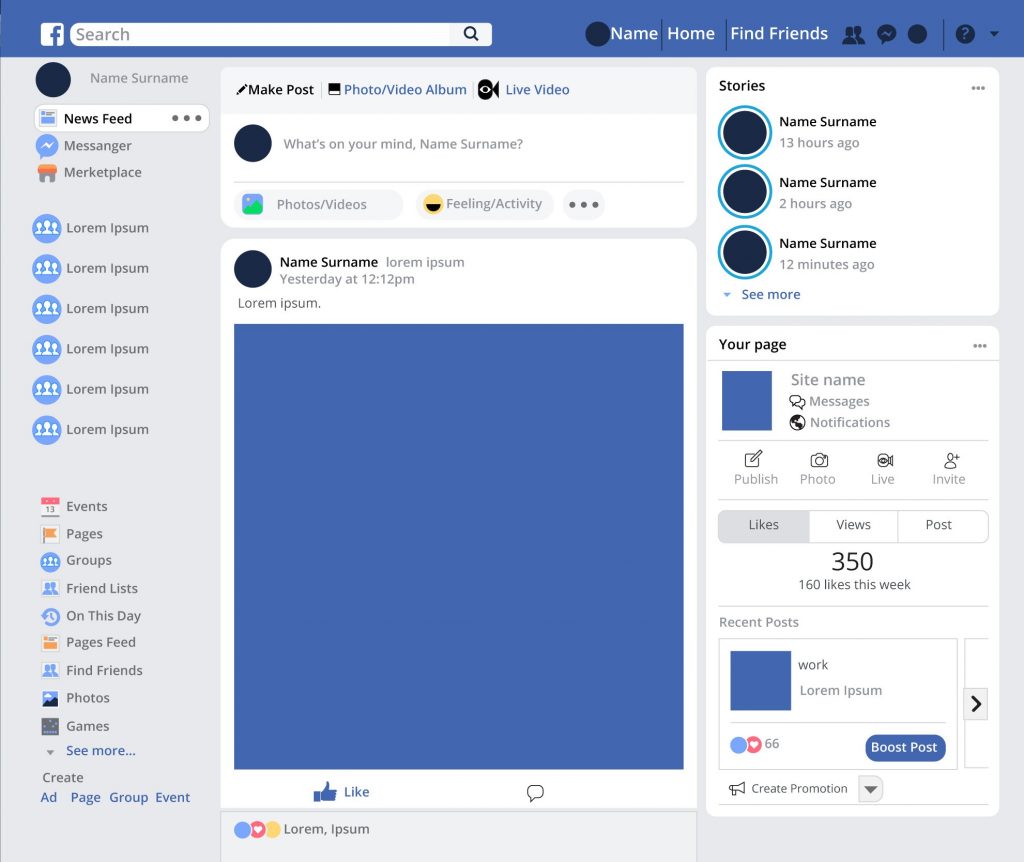
The right time to post on FB is between 1 p.m. to 4 p.m. during the working days to get the highest exposure to your viewers. That’s possible because numerous Facebook users browse on their PCs and check it during their spare time at work.
- The most favorable days to upload posts on Facebook are Thursday, Friday, Saturday, and Sunday.
- The worst day to post on Facebook is Tuesday.
- Weekends get the maximum level of engagement on Facebook.
When Is the Best Moment to Post on LinkedIn?

LinkedIn is a known professional social network utilized by recruiters, salespeople, and entrepreneurs which is why it’s usually handled, during working hours. So, the best time to post anything on LinkedIn is between 10 a.m. and 11 a.m.
- Tuesday, Wednesday, and Thursday are the most suitable days to post on LinkedIn.
- After working hours and weekends are the worst times to post on LinkedIn for visibility and engagement.
When is the Best Hour to Post on Twitter?

The most competent time to post on Twitter is during the lunch hour between 12 p.m. to 1 p.m. Nonetheless, scheduling posts right before lunch serves well too.
- Business days tend to get maximum engagement on Twitter. Posting at lunch every day from Monday to Friday can support you to boost social media engagement.
- Wednesday is the most suitable day to post on Twitter.
Best Moment to Post on Pinterest

The most desirable time to post on Pinterest is between, 8 p.m. and 11 p.m. Moms use Pinterest actively which may be why they tend to post later in the evening.
- Weekends are, by far the best day to post on Pinterest.
- Working hours during the weekdays tend to be less popular for Pinterest users, resulting in lower levels of engagement.
Best Time to Broadcast Videos on YouTube

The most appropriate time to upload on YouTube is early afternoon within 12 p.m. and 4 p.m. It’s due to the reason that most of the viewers watch videos in the evening, consequently resulting in videos being indexed by then.
- Thursdays and Fridays are the most suitable days to post videos on YouTube.
- Most viewers watch YouTube on the weekend so, don’t hesitate to post on Saturdays and Sundays in the early daylight around 9 a.m. and 11 a.m.
So, When Is the Best of Times to Post on Social Media?
To understand the best time to post on social media, you need to take account of the social platform you’re going to practice and the time zone of most of your customers.
Although the times mentioned above are just the averages, whereas you might find that the maximum engagement of your audience is at some different times. The most reliable way to determine the best time to upload on social media is to try and test first. You can utilize tools of social media management to schedule posts at different times over the stretch of numerous weeks to discover which times work the best with your audience.
Don’t forget to track the progress of your competitors and see when they get the highest engagement on their posts. Possibilities are that these times could work for you too. Try posting when they usually are quiet but keep in mind that each platform is different so, follow each one individually to get the best results.
Google Analytics Report for Social Media Broadcasting
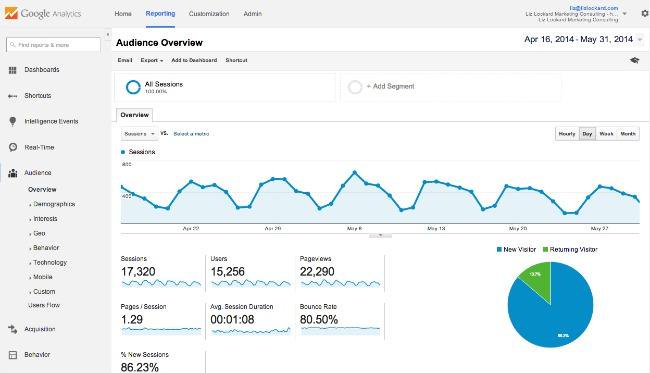
Google Analytics has all the accurate information to support you to decide the suitable times to post on social media once you have created the social media profiles and uploaded a few updates to accumulate data. All you require to do is to make Custom Reports for every platform and begin analyzing data. Let’s stroll through this process together.
- Click on Custom Report in the leftward side toolbar on Google Analytic
- Choose ‘New Custom Report’ to begin formulating your report
- Select the information you wish to see in your report.
- Save the report and see your outcomes. To view the times of the day merely pick ‘Hour’ as your secondary dimension.
- Repeat the preceding steps for all major social media traffic providers
- Begin planning your social media schedule around your most suitable times to post
- Utilize custom reports to track growth and achievement
Social Media Management Tools
After making your social media plan, you can utilize social media marketing automation and management devices like Hootsuite, Buffer, and Later to schedule posts at any time. These tools can support you to remain consistent with your uploading schedule and reach your supporters or followers even when you’re asleep. The social media tools can also be used for experimenting at different times to ascertain, which times get maximum engagement.
Conclusion
Continually observing your social media engagement and examining your social data can aid you to find the best times to post on Facebook, Instagram or other social networking platforms that your brand is on. Our recommendations are some guidelines for you. But remember, that each brand is different, and benchmarks can differ depending on the social media platform you are using and the type of industry. Nevertheless, as the count of your followers keeps growing, you may notice that your audience engrosses with you at different times. Every social media platform changes its algorithms, so you require to stay on the peak of these reforms. So, we suggest, never cease testing or experimenting. Also, don’t be hesitant to post on social media on less common days too, for you might fail to reach your highest percentage of followers, you might be able to connect with people who would have otherwise goofed out on.
Businesses are keen to adopt the latest commerce channels and technologies to get closer to their shoppers and increase conversions. And in order to achieve this effectively, they need to overcome four main challenges:
- Requiring to continually innovate their digital customer experience.
- Creating coherent experiences over various touchpoints and technologies.
- Reducing data silos to secure data and make real-time decisions.
- Merging new technologies while reducing interruptions to current business procedures.
In order to accomplish the aforementioned, several companies are shifting towards “headless commerce.” It will accommodate an infinite diversity of web, mobile, IoT, social, and in-store digital touchpoints while distributing them structurally from the commerce platform applying APIs to provide trade services. Using headless commerce enhances flexibility to control a wide range of omnichannel scenarios.
Last week, Adobe Commerce Cloud announced a robust and extremely flexible infrastructure that offers constant integration and continuous delivery (CI/CD) processes. It will empower consumers to achieve fast and rapid iterations of their codebase. Now traders of all sizes can use new features to respond to growing customer needs.
Each API (application programming interface) client is different. Having distinct designs of APIs for various clients results in improved performance, ease of development, and the cohesion of integrations. REST and GraphQL are the two one-of-a-kind set of APIs offered by Adobe Commerce Cloud. Both are popular platform extensibility and “microservice layer” technologies. It grants retailers to instantly embrace APIs for all the various touchpoints and integration scenarios they may encounter. Besides these new enhancements, businesses of every size can power the broadest range of omnichannel trade situations to create innovative experiences that will stimulate the loyalty of the customer and increase revenue.
BETTER MOBILE EXPERIENCES
According to Adobe Analytics, the holiday season of 2018 observed 51.4% of visits from smartphones. However, the revenue that was recorded from mobile phones was 31.0%
only. Progressive Web Apps (PWAs) represent the subsequent growth in mobile-driven commerce. PWAs give rich local app experiences right through mobile browsers. Moreover, to provide headless APIs for maintaining PWAs, Adobe Commerce Cloud gives PWA Studio. In this way, user-experience developers can concentrate on creating best-in-class experiences.
SEAMLESS INTEGRATIONS
Multiple brands prefer headless commerce to integrate business with omnichannel applications or CMS. Service-oriented methods backed by microservices makes it simpler and faster to merge with different systems like marketing, store systems, and loyalty plans. Adobe Commerce Cloud is pre-integrated with the best-in-class Adobe Experience Manager, which is outlined to carry overall delivery experience, hybrid designs that split experience delivery in CMS and Commerce, or completely headless scenarios. Also, companies can take advantage of headless commerce integrations for digital signage, POS, and social-conversational commerce.
Tap deep insights and real-time decisions
A general difficulty with headless deployments is enhancing experiences and delivery performance. Adobe Sensei is the machine learning technology of the company that is deeply embedded within Adobe Experience Cloud solutions. It helps API-based personalization along with enhancing performance and ranking of the page. By incorporating A/B testing in the development phase of single-page apps, brands can introduce new innovations and check customer-facing errors in production conditions.
Power of robust global ecosystem
Headless commerce needs a unique range of design and integration across systems which can be frightening for all but the largest companies. Assuring robust developer tools and a harmonious partner ecosystem to increase core skills is necessary for efficient deployment and continued success.
The future of headless commerce
With the advanced capabilities of Adobe Commerce Cloud headless, businesses have endless flexibility to produce seamless omnichannel experiences supporting every scenario. From working in a fully headless mode, employing services architecture, a system front-end, and PWAs to merging with consumer engagement apps such as CMS and beyond. These improved capabilities put unprecedented power in merchants’ hands to create every experience shop-worthy for customers and stimulate innovation. Magento Commerce Pro sponsored by Adobe Commerce Cloud gives a clear competitive edge to meet the demands of consumers, just as those demands continue to grow.
Most of the businesses nowadays have gone fully digital, which means that along with operating in the online world, they also function electronically. In simple terms, online transactions have become popular, and eCommerce businesses should be able to adequately handle any means of electronic payments.
Basically, it’s about providing convenience to shoppers. The trend of online shopping has brought forth numerous payment methods. Credit or debit cards are the most commonly used means of electronic payment. But there are other methods too that does not include card payments like APMs (Alternative Payment Methods). Both these methods of payments have grown in popularity and usage across the world of eCommerce.
The use of APMs is expected to encompass 55% of overall eCommerce payments in 2019. Now, you all must be thinking, why are payment methods so essential for the conversion rate of a company? As already mentioned, it’s about convenience. Accordingly, we will try to give you all a key to your question about how payment methods can affect your conversion rates.
Let’s begin with understanding the link between conversions and payment methods.
Creating a smooth shopping experience for the buyers is easier said than done. So, ensuring the seamless customer experience is a must for all types of businesses that operate online.
Being able to meet the needs, demands, and expectations of a customer plays an influential role in the success of a company in the market. Therefore, the focus must be on, meeting customers’ needs, when talking about, payment methods.
In fact, the rate of cart abandonment across several businesses on a global scale is 74.2%. There are numerous reasons for discarded shopping carts, lack of payment options being one of them. Consumers tend to suspend proceeding to purchase if they fail to see their preferred payment option on the checkout page.
Available Payment Methods
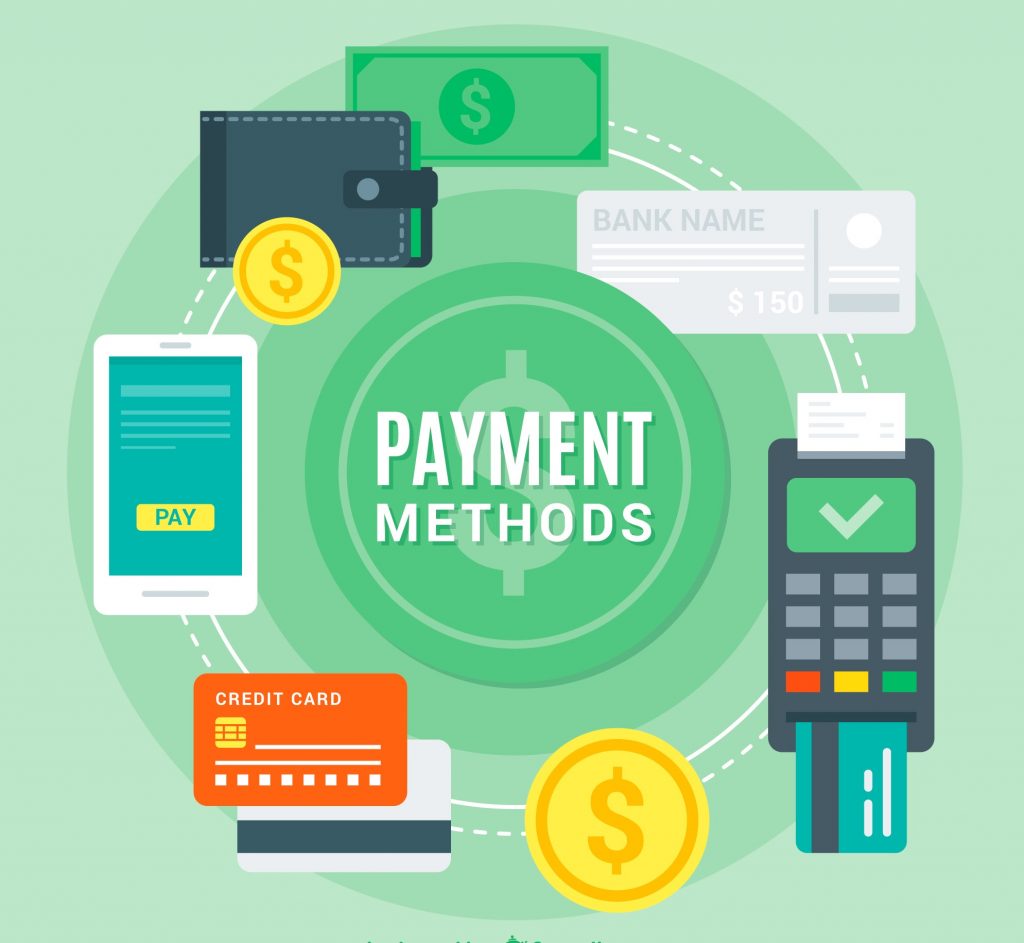
There are over 200 payment methods available that can be enforced by businesses handling electronic payments and online transactions. For instance, some APMs cover bank transfers, direct debit, e-invoices, digital wallets, digital currencies, and so on. Taking this into account, customers usually have only one or two preferred payment methods.
In short, you don’t have to apply every method to guarantee your customers will make a purchase. Rather, you must implement methods your consumers use most commonly.
Moreover, some methods of payment are incorporated into a single solution, like an ACH payment, for example. In this way, every customer’s favored payment method that withstands an Automated Clearing House (ACH) network, like direct deposit, bill deposit, peer-to-peer transaction, and many more, can be combined into a single payment solution.
Depending upon where your business primarily operates, it’s essential to support the local economy by giving the most preferred type of payment method. PayPal is a default method providing an initial integration and solution. PayPal also offers forefront encryption and high-level protection from fraud. However, there is a wide range of alternatives to PayPal, comprising the same solution and much more, like:
Klarna – Offers ‘buy now pay later’ purchase model to the customers. It gives assistance to your customers to go through the checkout smoothly, granting them flexible payment alternatives, at zero risks to the merchant.
Affirm – Provides precise, easy, and on the spot funding for online shopping. Also, it does not charge any late fees, prepayment fees, service fees, or have any other hidden fees. Not only that, Affirm’s simple to access mobile app enables you to maintain your account and carry out payments on the go.
Google Pay – Google Pay is one of the most reasonable services on the list, as it is exempted from any charges to use debit cards or execute bank transfers. Although you will have to pay a 2.9% fee for using credit cards. Its integration with other Google services is what sets Google Pay apart from the rest of the payment gateways.
In Gmail, for example, you can request payment simply by clicking the little dollar symbol in the toolbar under a message. You can transfer money through Android Messages which will show up in Google Pay. Or you can use Google Home to send over money to a fellow through Google Pay. And if you want to use the actual Google Pay app, then sending money is as easy as clicking on the option and filling your recipient’s phone number or email address.
Amazon Pay – allows the customers to pay directly via an Amazon account, resulting in increased sales and reduced checkout time. The gateway uses widgets helping the customers pick suitable shipping methods and payment options without leaving your store. Also, it features the same deceit protection system as Amazon.com. It is the quickest and most simple option for the customers to make payments utilizing their Amazon details.
Apple Pay – The first of the latest mobile payment solutions that employ NFC (Near-field communication) to securely and wirelessly transmit your payment data to the POS and online through various mobile apps, along with keeping safe your personal information such as name, number, and address.
Braintree – A PayPal owned payment gateway that provides support for national and international businesses. It offers six different types of payment methods including Apple Pay, Bitcoin, and Venmo. Braintree offers in-built PayPal integration, protection from fraud, and data storage.
These are some of the popular payment gateways you can employ to optimize your checkout page. Several major payment processing solutions give multiple types of payment approval. To begin with, ensure that the top four main credit cards, i.e., Visa, American Express, Mastercard, and Discover, are accepted. Furthermore, many platforms offer approval in the form of an eCheck, digital wallet transfer, cryptocurrency, and many more.
And if your business is looking to serve overseas, then ensure you get a payment provider who offers optimized international payments. If you can process seamlessly in different countries, then conversions can even pass through the roof!
Implementing Multiple Payment Options

As mentioned earlier, you don’t have to employ every payment method possible on your checkout page. Alternatively, you should conduct some study to discover the most preferred methods of payment for the market or a country you’re targeting. In this way, you can apply the most appropriate payment options for your business.
You can quickly increase your conversion rate by optimizing more payment methods favored by your consumers. In fact, having the top 3 most used payment options accessible can boost your sales by up to 71%.
In short, multiple payment methods are essential to your customers, giving them overall satisfaction. By enforcing the appropriate method of payment, you can provide convenience to customers along with preventing cart abandonment and ensuring your shoppers complete their purchases.
Optimizing Your Checkout Page

Even if you’ve executed multiple payment options, it doesn’t ensure that your customers will certainly go through the purchase. Although, multiple payment choices play an essential role in inspiring customers to seal the deal if your checkout page is properly, optimized. As previously mentioned, there are numerous causes why buyers will forfeit their purchasing carts. For example, some reasons include:
- Extra additional costs, 55%.
- Being obligated to create an account, 34%.
- Complicated and time taking checkout process, 26%.
- Website errors, 17%.
- Lack of security, 17%.
Taking this into account, optimizing your checkout process should be a priority apart from applying multiple payment alternatives. Hence, assure that your website is secure, fast, and functional, besides being responsive for mobile users. Moreover, avoid bothering your customers with unnecessary account creations and complicated checkout methods. Above all, ensure the proper security of your customers, making them feel secure while sharing their sensitive information on your website.
Payment options give convenience and seamless experience to consumers when it comes to online shopping. Businesses that provide suitable payment choices to their customers successfully gain the trust of their consumers and guarantee that shoppers will not leave without making a purchase but will also come back for repeat business.